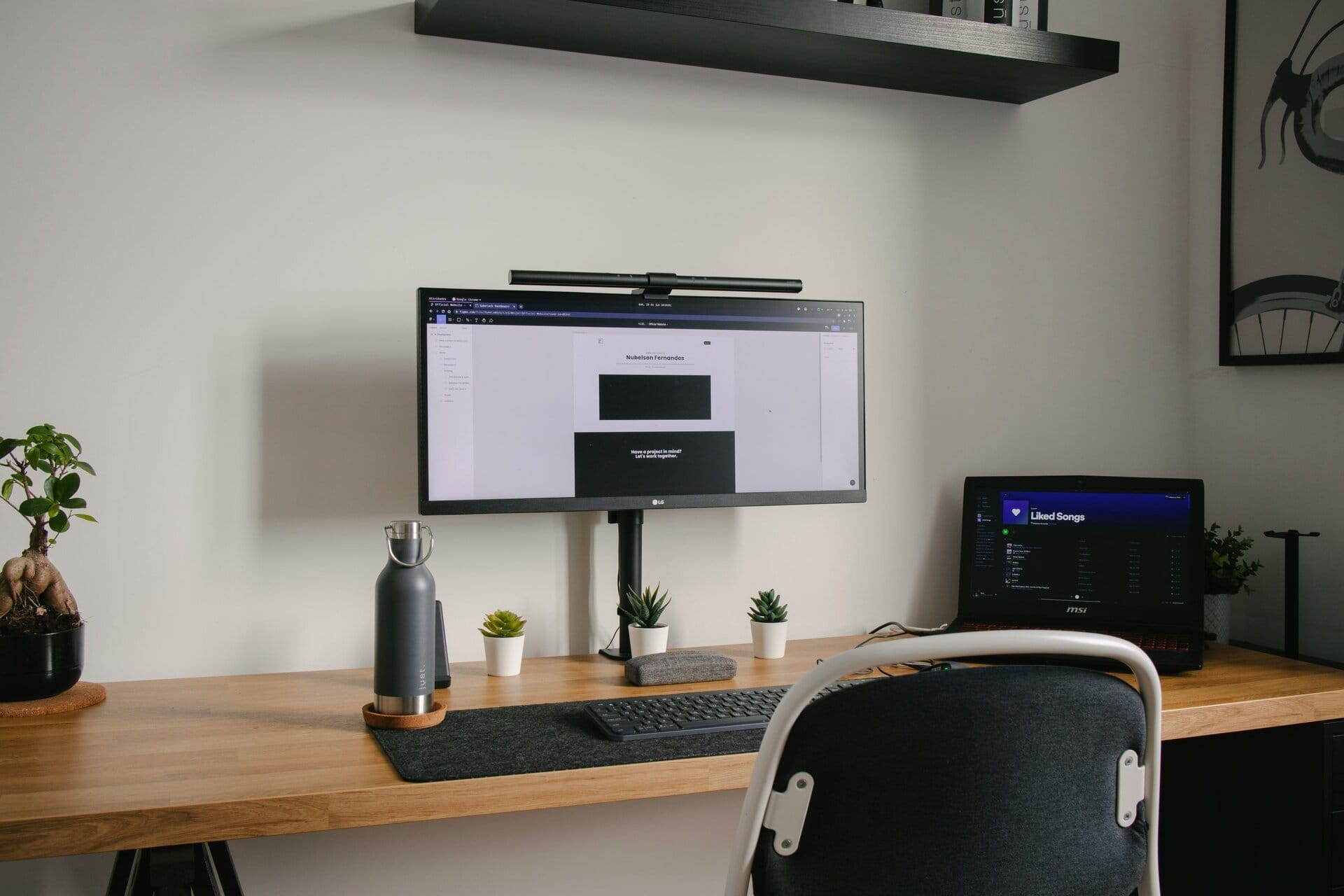
The Definitive Guide to Budget-Friendly Monitors
Achieve a high-performance visual setup without the premium price tag. We’ve curated the best value-driven screens for your home office in 2025.
A quality monitor is the centerpiece of any productive workspace. It’s where your ideas take shape and your work comes to life. Finding a screen that delivers vibrant visuals, solid ergonomics, and smooth performance doesn’t have to mean overspending. This curated guide spotlights standout budget-friendly monitors that are perfect for home offices, remote learning, and even light gaming. We’ve synthesized extensive research to help you make a smart, confident choice.

Our Top Affordable Monitors: At a Glance
Best for Color & Clarity
Sceptre E248W-19203R: A vibrant IPS panel with a smooth 75Hz refresh rate, perfect for creative tasks and daily use.
Best for Immersion
SANSUI 27″ Curved: A WQHD curved monitor with a rapid 180Hz refresh rate, ideal for gaming and cinematic media.
Best for Multitasking
Raywego 34″ Ultrawide: An expansive ultrawide screen with USB-C connectivity, designed for maximum productivity.
How DeskZen Reviews
We act as curators. We analyze expert lab tests, long-term user feedback, and manufacturer data, then translate that mass of information into clear advice. Fewer tabs. Faster decisions. Trusted picks.
A Buyer’s Masterclass: What to Look for in a Monitor
Navigating the technical specifications of a monitor can be daunting. Here are the key features that truly matter, translated into practical advice for your home office setup.
Panel Type: IPS vs. VA
This is the technology that creates the image.
- IPS (In-Plane Switching) panels are the champions of color accuracy and have wide viewing angles. This means the colors look great even if you’re not sitting directly in front of the screen. They are the best choice for creative work and general use.
- VA (Vertical Alignment) panels are known for their deep blacks and high contrast ratios. This makes them excellent for watching movies or playing games with dark scenes.
Resolution & Size: The Clarity Sweet Spot
For most users, a **1080p (Full HD)** resolution on a **24 to 27-inch** screen provides excellent clarity without requiring a high-end graphics card. For those who need more screen real estate for multitasking, a **1440p (WQHD)** or **Ultrawide** monitor is a significant step up.
Refresh Rate: The Smoothness Factor
The refresh rate, measured in Hertz (Hz), is how many times your screen updates per second. While 60Hz is the standard, a monitor with **75Hz or higher** will provide noticeably smoother motion when you’re scrolling through websites, watching videos, or playing games.
Ergonomics & VESA Compatibility
A good monitor should adapt to you. Look for a stand that offers **tilt, swivel, and height adjustment**. At a minimum, ensure the monitor is **VESA compatible** (with 75x75mm or 100x100mm mounting holes). This allows you to attach it to a monitor arm for complete ergonomic freedom.
The 2025 Shortlist: Top Affordable Screens for Remote Work
Each monitor in this list has been selected for its exceptional balance of features, user feedback, and overall value.

Sceptre E248W-19203R
A 24″ Full HD IPS monitor with a smooth 75Hz refresh rate and built-in speakers. Price: $
View on Amazon
AOC 24B2H2
A 24″ Full HD IPS monitor with a sleek, slim-bezel design and VESA compatibility for ergonomic mounting. Price: $
View on Amazon
SANSUI 27″ Curved
A 27″ 1440p (WQHD) curved monitor with a rapid 180Hz refresh rate, perfect for immersive media and gaming. Price: $$
View on Amazon
Raywego 34″ Ultrawide
An expansive 34″ ultrawide monitor with a 100Hz refresh rate and single-cable USB-C connectivity. Price: $$$
View on AmazonFinal Verdict
Finding a high-quality, affordable monitor for your remote work setup is easier than ever. For users who prioritize color accuracy and a smooth experience for general use, the **Sceptre E248W-19203R** is an exceptional value. If you crave an immersive experience for gaming and media, the high-refresh rate of the **SANSUI 27″ Curved** is hard to beat. And for the ultimate multitasker, the sheer screen real estate of the **Raywego 34″ Ultrawide** will be a game-changer. By identifying your primary use case—whether it’s clarity, speed, or space—you can confidently select a budget-friendly screen that will elevate your entire workspace.
Inquiries & Clarifications
What is the best all-around panel type for a budget monitor?
For most users, an **IPS (In-Plane Switching)** panel is the best choice in the budget category. It offers the most accurate colors and the widest viewing angles, making it versatile for everything from document editing and web browsing to watching videos with others. VA panels are a great alternative if your primary use is media consumption in a dimly lit room, thanks to their superior contrast.
Is a 75Hz refresh rate noticeably better than 60Hz?
Yes, for many people it is. While not as dramatic a leap as going to 144Hz, the jump from 60Hz to 75Hz provides a subtle but noticeable improvement in smoothness. You’ll feel it most when scrolling through documents or websites, and it can make light gaming feel more responsive. For the small price difference, it’s a worthwhile upgrade.
Is 1080p resolution still good enough in 2025?
Absolutely, especially for monitors in the 24 to 27-inch range. At this size, 1080p (Full HD) resolution provides a sharp, clear image for text and video without requiring an expensive graphics card to run smoothly. It remains the sweet spot for budget-friendly productivity and general use.
Why is VESA compatibility so important?
VESA compatibility is the key to long-term ergonomic freedom. It means your monitor has a standard mounting pattern on the back (usually 100x100mm). This allows you to attach it to a separate monitor arm. Even if the included stand only offers basic tilt, VESA compatibility ensures you can always upgrade to a fully adjustable setup later.
Do I need a monitor with built-in speakers?
It depends on your needs. Built-in speakers are very convenient for basic system sounds, notifications, and casual video calls. However, they typically lack the quality for immersive music or movie watching. If audio quality is important to you, a pair of dedicated external speakers or a good headset will always be a better choice.

Leave a Reply