Update : December 2025
Introduction
Standing desks are no longer a wellness accessory—they are a structural component of modern professional workspaces. For remote and office workers spending most of their day seated, poor desk ergonomics translate directly into back pain, fatigue, and reduced focus.
This guide is written for professionals who want a reliable, long-term standing desk, not a trendy upgrade. Instead of marketing claims, we analyze stability under load, height range, noise, control systems, and real-world usability, to help you choose a desk that fits daily work—not just a product page.

How We Evaluate and Curate Standing Desks at DeskZen
At DeskZen, we don’t list standing desks based on popularity or brand claims alone. Our curation process starts with objective ergonomic and technical criteria relevant to professional, long-hour desk use.
Each standing desk included in this guide is evaluated based on:
height range suitability for seated and standing work,
stability at maximum extension,
motor noise and speed,
control panel usability and reliability,
long-term durability signals from user feedback and specifications.
Products that fail to meet minimum stability, height, or usability thresholds are excluded, even if they are popular or aggressively marketed.
This approach allows us to curate desks that perform well in real work environments, not just on product pages.
Working in a compact space? Check out our full review of the VariDesk Pro Plus 36 — a dual-monitor-friendly standing desk converter that fits tight layouts with ease.
Want a standing desk that’s both beautiful and powerful? The UPLIFT Bamboo Standing Desk blends natural materials with premium motorized performance.
1. What Is a Standing Desk?
A standing desk is more than just a tall table—it’s a tool for creating a dynamic and health-conscious work environment. It allows you to alternate between sitting and standing throughout the day, reducing postural fatigue and encouraging subtle movement.
You’ll find fixed-height models, manual cranks, electric adjustable systems, and converters that sit on top of your existing desk. Budget adjustable desks are not that hard to find. All serve the same purpose: keeping your body engaged and your mind sharp.
2. Why Use a Standing Desk?
Health Benefits
- Helps prevent lower back pain and neck stiffness: Standing periodically can relieve spinal compression and reduce musculoskeletal tension accumulated during long sitting sessions.
- Boosts circulation and reduces risk of cardiovascular issues: Alternating between sitting and standing promotes blood flow, reducing the risk of varicose veins and heart strain.
- Reduces chances of type 2 diabetes linked to sedentary lifestyles: Research shows that prolonged sitting negatively affects blood sugar regulation. Harvard Health
Productivity Perks
- Encourages alertness and sharper focus: Physical engagement stimulates mental energy and attention levels.
- Reduces mental fatigue by promoting physical activity: Movement breaks up cognitive stagnation and refreshes the mind.
- Can improve task switching and sustained concentration: Studies indicate that postural variation enhances executive functioning over time.
Well-being & Mood
- Reduces stress: Less physical strain leads to lower stress markers.
- Improves mood and energy over long periods of use: Standing desks support a proactive posture that aligns with psychological well-being.
📚 Sources: American Journal of Preventive Medicine, Harvard Health
3. Types of Standing Desks (And Who They’re For)
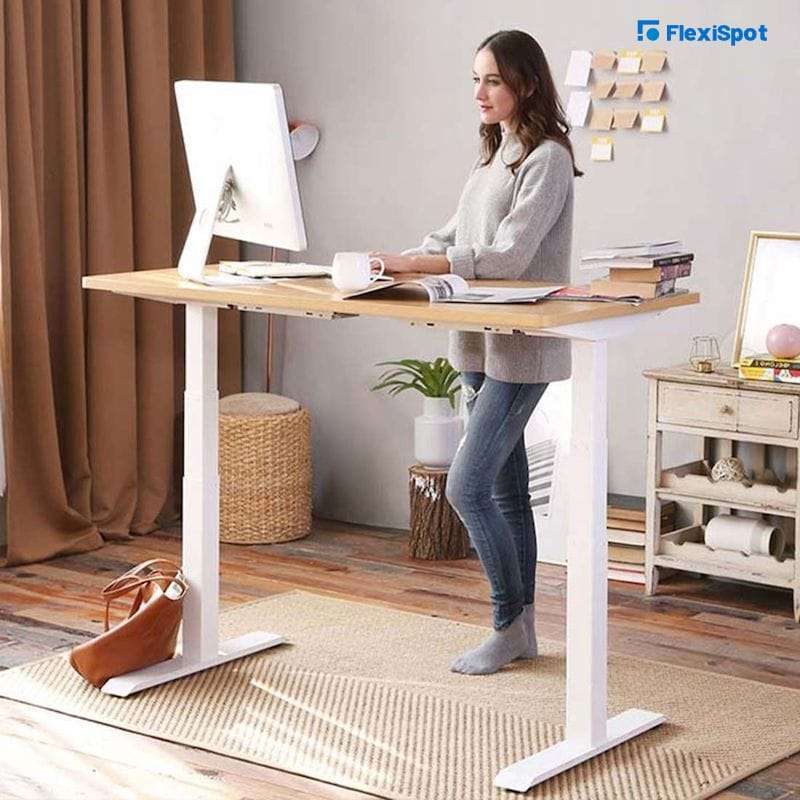
Fixed-height Desk
A basic standing desk set at a fixed height. No adjustment options. Ideal for occasional use or shared spaces.
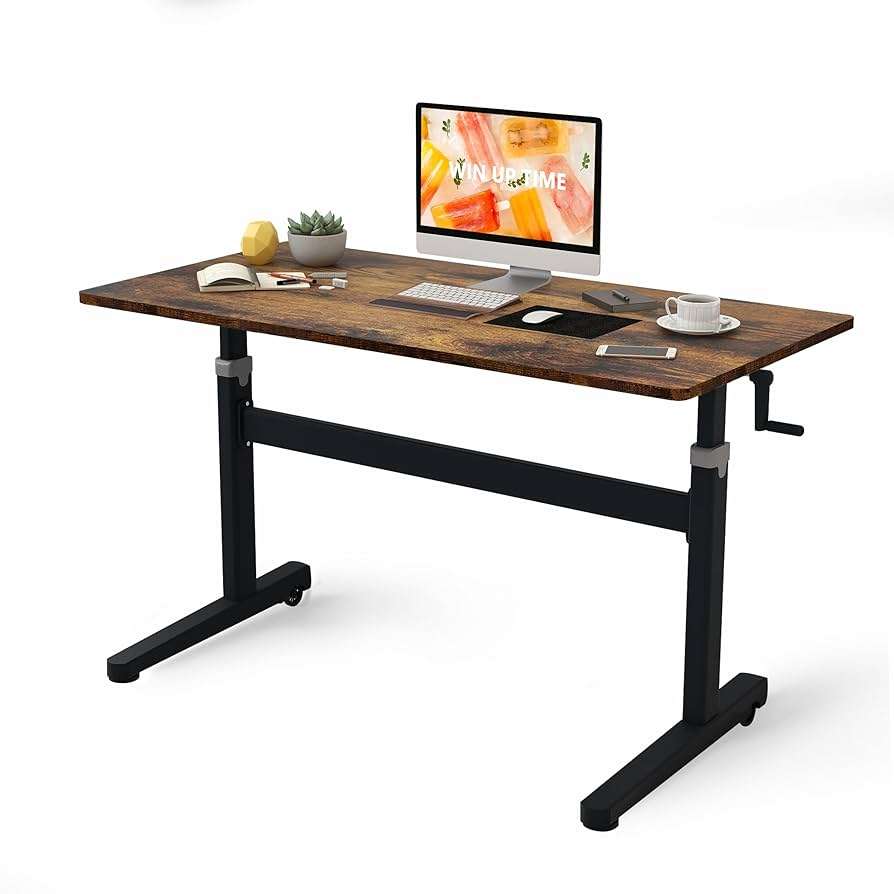
Manual Adjustable Desk
Uses a crank or lever for height changes. Budget-friendly but requires effort. Best for minimal setups.
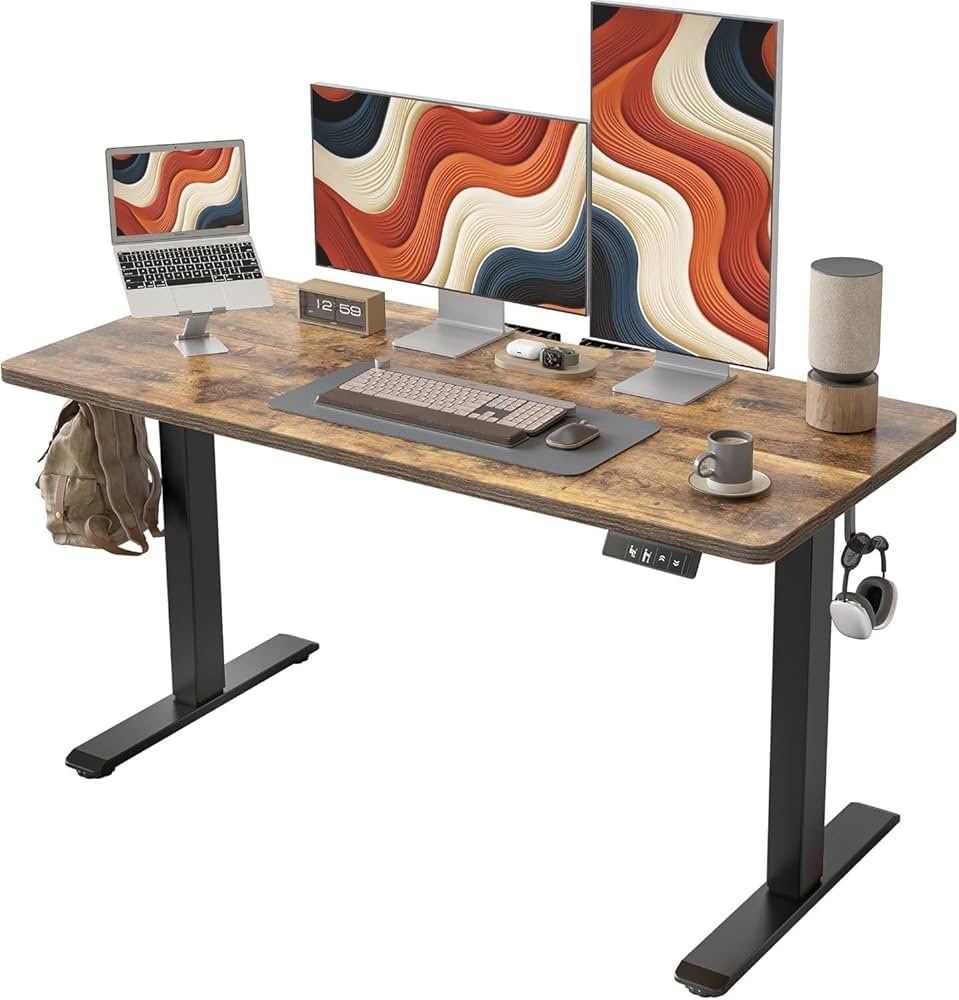
Electric Standing Desk
Motorized with memory presets and smooth transitions. Ideal for full-time professionals and multi-monitor users.
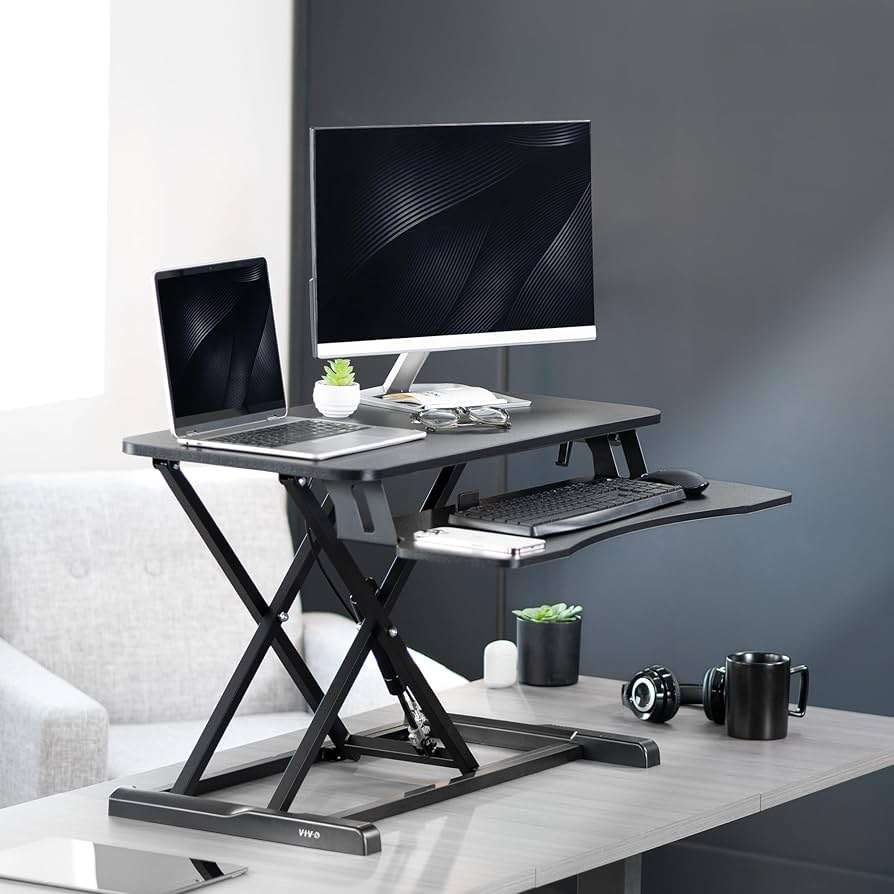
Desk Converter
Sits on top of a regular desk to lift your monitor and keyboard. Great for small spaces or testing the standing setup.
| Type | Description | Ideal for… |
|---|---|---|
| Fixed-height standing | A simple desk built at standing height. No height adjustment is possible. | Occasional users or teams using shared hot desks. |
| Manual adjustable | Uses a crank or lever to shift between seated and standing positions. | Budget-conscious users or those with minimalist needs. |
| Electric standing desk | Powered by motors with programmable memory presets. Fast, quiet, and smooth. | Professionals using multi-screen setups or working long hours. |
| Desk converter | A platform placed on top of a regular desk that elevates keyboard and monitor. | Small spaces, rentals, or users testing before full investment. |
Each type offers its own trade-offs between budget, flexibility, and ergonomics.
Featured video about Standing Desk setup
Video Summary
In this 4-minute video, physiotherapist Tim Keeley walks you through the correct ergonomic setup for a standing desk. He explains how to position your elbows, monitor, and feet for optimal comfort and spine health, whether you’re sitting or standing. The tips are clear, practical, and designed to help you avoid neck, shoulder, and lower back pain — making this a great resource for both beginners and long-time standing desk users.
Short video transcription (Key Excerpts)
“Your elbows should be at about 90 degrees — or just below — when typing. That keeps your wrists and shoulders relaxed.”
“The top of your monitor should be at eye level. You shouldn’t have to tilt your head up or down. Stack your monitor if needed.”
“If your feet don’t touch the ground when sitting, use a footrest. That keeps your hips and knees aligned.”
“Don’t stand all day. Try switching every hour or two between sitting and standing. Your body needs movement, not just a new static position.”
4. How to Choose the Right Standing Desk – Are there inexpensive standing desks ?
Key Criteria
- Height range: A wide range (ideally 22″ to 48″) ensures the desk fits both short and tall users and allows comfortable sitting and standing transitions.
- Stability: A stable desk avoids wobbling or shaking, especially at full height. Models with dual motors and solid frames are more dependable.
- Material quality: Solid wood or durable laminates extend lifespan. Bamboo is both eco-friendly and aesthetically appealing.
- Weight capacity: For setups with dual monitors or heavy accessories, a 200–350 lb load capacity is recommended.
- Cable management: Built-in trays or grommets help route and hide wires, avoiding clutter and potential tripping.
- Anti-collision sensors: These detect obstacles during movement and stop the desk, preventing damage or injury.
- USB ports & extras: Integrated ports allow for direct charging of devices—an increasingly useful convenience.
- Prices : You can find affordable standing desks or budget adjustable desks easily but usually those will be manual powered or fixed. Up to you to chose each one suits your needs the best.
✅ Tip: Download this checklist to compare desks before you buy!
5. Best Standing Desks in 2026 – Top Picks by DeskZen

At DeskZen, we don’t conduct physical tests. Instead, we synthesize findings from dozens of independent lab tests, professional reviews, and thousands of real-world user ratings.
Our top choices reflect a consensus of trusted voices and verified experiences, filtered through our ergonomic lens.
- Best overall build quality and motor precision
- Over 15 desktop options (bamboo, rubberwood, laminate)
- Strong cable management features
- 355 lb capacity, dual motor, silent operation
Fully Jarvis Bamboo Desk
- Sustainable materials with a clean look
- Memory presets and a 350 lb weight capacity
- Widely praised by eco-conscious users
- Simplified assembly, tool-free
- Excellent stability for its price range
- 220 lb capacity, generous surface
| Model | Height Range | Load Capacity | Surface Options | Ideal For… |
|---|---|---|---|---|
| UPLIFT V2 | 25.5″–51.1″ | 355 lbs | 15+ | Premium performance + design |
| Jarvis Bamboo | 25.5″–50.7″ | 350 lbs | 5+ | Eco-conscious, balanced budget |
| Vari Electric Desk | 25″–50.5″ | 220 lbs | 4 finishes | Mid-range reliability and simplicity |
On a tighter budget but still want a clean workspace? Don’t miss our take on the Mind Reader 4-Tier Paper Tray — a smart, space-saving accessory to pair with your desk.
6. Standing Desk Accessories Worth Adding
- Anti-fatigue mat: Reduce leg strain while standing by cushioning your feet.
- Cable tray: Tidy up wires below desk surface to maintain a clean workspace and avoid tangling.
- Monitor arm/riser: Improve viewing ergonomics and free up desk space.
- Desk lamp: Maintain healthy lighting and reduce eye strain.
- Footrest: Promote small positional shifts and better posture throughout the day.
🔗 Explore our dedicated reviews on each of these accessories.
7. Standing Desk Setup Tips – Build a Dynamic Workspace
- Use a timer to alternate between sitting and standing every 30–60 min
- Align screen top with eye level to avoid neck strain
- Keep elbows at ~90° while typing
- Avoid locking your knees; shift weight from one leg to the other
- Use peripherals (external mouse, keyboard) to reduce wrist strain
🧠 Think of it not as a desk, but as an ecosystem: chair, mat, lighting, cables—all should align.
8. Common Mistakes to Avoid
- Standing too long without breaks: Just like prolonged sitting, standing all day can cause fatigue, foot pain, and joint stress. The key is alternation.
- Poor monitor positioning: If your screen is too low or too high, it strains the neck and eyes. Your screen top should align with eye level.
- Buying too small: A cramped desk can’t accommodate your keyboard, monitor, and workspace tools. Always check surface dimensions.
- No mat: Without an anti-fatigue mat, standing becomes uncomfortable over time, increasing tension in legs and lower back.
- Ignoring cable management: A mess of cables isn’t just unaesthetic—it’s also a risk for disorganization and distractions.
💥 These issues are easy to overlook, but they often lead users to abandon their setup prematurely. Anticipate them early.
Real User Feedback (Reddit) about Standing desks
1. Long-term health payoff
“I have had a fully Jarvis frame for about a year and a half… honestly a game changer for me.”
DeskZen take: Long-time users often report reduced back tension and improved posture. This underscores the importance of using a reliable, adjustable frame over time rather than expecting instant results.
2. Realism vs. hype
“I stand up more with standing desks, but the amount of standing we do seems to reduce over time… 57 minutes is still better than 0.”
DeskZen take: Initial enthusiasm typically decreases—realistic usage is key. Encourage users to build habits by alternating sitting/standing in the first 6–8 weeks to see sustained improvement.
3. Flexibility for fatigue
“The biggest benefit… if I feel tired from sitting, I can stand for a while, and when I get tired of standing, I can sit down again.”
DeskZen take: Adjustable versatility is the principal benefit—highlighted by this Redditor—in practice, the ability to alternate postures enhances comfort and compliance.
4. Pros & cons of budget brands
“Preferably less than $400… I’ve read horror stories about Fezibo, Flexispot… half the desk rising…”
DeskZen take: Affordable options exist, but build quality and customer support vary. For longevity, we recommend investing slightly more in trusted brands with strong reviews and warranty policies.
5. Real-world usability insights
“It keeps my drinks out of my way… the rising is incredibly smooth… cupholder is a game‑changer.”
DeskZen take: User-observed details like smooth motor function and thoughtful accessory support are strong indicators of design maturity and usability. We prioritize these in recommendations.
Expert Opinions & DeskZen Position
Study: Sit‑stand desks reduce back pain (Texas A&M)
Users opting for sit‑stand workstations reported improvements in discomfort across seven of eight body regions—including lower back, shoulders, and hips. Productivity remained similar or slightly increased. Reddit+15Verywell Health+15Cleveland Clinic+15
DeskZen says: Supports our focus on posture variety. This aligns with ergonomic benefits—less strain, more movement, and consistent work capability.
Study: Standing ≥2 hours/day may elevate circulatory risk (UK Biobank)
Research with 80,000+ adults found that over two hours of cumulative standing per day increased risk for circulatory issues (e.g., varicose veins, DVT) by ~11% per additional 30 minutes. Standing alone did not reduce stroke or heart disease risk. Reddit+2The Guardian+2The Times+2
DeskZen says: Reinforces our recommendation: combining standing with movement is vital. Position switching without moving isn’t a health fix—movement remains key.
Physician view: Sedentary behavior risks = “new smoking” (NYU Langone)
Dr. Stephen Williams emphasizes that standing desks aren’t a cure-all. Sedentary behavior is associated with serious health risks—but physical activity is indispensable. Reddit+2Peninsula Australia+2New York Post+2
DeskZen says: This expert stance echoes our philosophy: standing is helpful but only when combined with intentional activity, short walks, and structured breaks.
DeskZen Summary View
- User feedback shows the utility of adjustable and well-supported desks (Jarvis, UPLIFT).
- Workflow effectiveness depends on correct use—habit building matters.
- Experts recommend balanced posture shifts: sitting, standing, and movement—not static positions.
- Best results: high-quality desk + ergonomic accessories + timer-based posture reminders.
- Health benefits derive from variability and motion more than static standing.
11. Frequently Asked Questions
What is the best electric standing desk for 2025?
We recommend desks that offer dual-motor adjustability, strong weight capacity, memory presets, and good warranty support. See our top 5 picks in the guide above.
How long does it take to assemble an electric standing desk?
Most users report 30 to 45 minutes for solo setup, or about 25 minutes with help. Tools are usually included in the package.
Are standing desks worth the investment?
For remote workers or those with back pain, standing desks improve posture, reduce fatigue, and boost productivity over time.
What is the cheapest standing desk worth buying in 2025?
There are several high-value options under $300 offering stability and decent motor lift. We feature a few in our budget section.
Are budget adjustable desks reliable?
Yes, many models under $400 now offer strong motors, sturdy frames, and multi-year warranties. Just avoid the ultra-low-end unbranded models.
What makes a good ergonomic desk setup on a budget?
Combine a stable standing desk, an ergonomic chair, monitor risers, and cable management—all for under $600 if chosen wisely.
12. Final Thoughts – Our DeskZen Perspective
A standing desk isn’t a gimmick—it’s a smart upgrade for health and focus in the modern workday. Our guide aimed to simplify your research by combining expert reviews, verified tests, and community feedback into one clear, actionable source.
👉 If we had to recommend just one: the UPLIFT V2 strikes the perfect balance of build, adjustability, aesthetics, and long-term support. It consistently outperforms alternatives in expert reviews.
🧩 Don’t forget: check out our other guides on ergonomic chairs, cable management, and office lighting for a fully optimized workspace.

Leave a Reply