DeskZen is reader-supported. If you buy through links on this page, we may earn an affiliate commission at no extra cost to you. We only link to products we consider genuinely relevant for home office and hybrid work setups.
Buying Guide · Updated July 2026
Best Standing Desk Guide 2026: How to Choose the Right Desk for Your Workspace
A standing desk is not a miracle health product. It is a workspace tool that helps you alternate between sitting, standing, and movement during long workdays. This guide breaks down which type of standing desk actually fits your workspace, which criteria matter, which models are worth considering in 2026 — and when you don’t need a standing desk at all.

DeskZen Verdict
For most home office and hybrid workers, a mid-range or premium electric sit-stand desk is the most practical choice in 2026: stable legs, memory presets, and enough desktop depth for one or two monitors. Our top overall pick is the UPLIFT V3 Standing Desk — released in late 2025 as the successor to the long-running V2, with a redesigned frame focused on stability and a wider height range. If you already own a desk you like, or you work in a small or temporary space, a desk converter is the smarter, cheaper upgrade.
We do not list fixed Amazon prices because prices and availability change frequently.
Our top pick at a glance: UPLIFT V3 Standing Desk
- Type: Electric sit-stand desk, dual motor, three-stage legs
- Height range: Roughly 22.6” to 48.7”, covering most user heights for both sitting and standing
- Best for: Full-time home offices, dual-monitor setups, long workdays
- Standout: Stability at standing height, simplified assembly vs the V2, 15-year warranty
- Consider instead: A desk converter if you already own a desk, or a budget electric desk for occasional use
What is the best standing desk setup for most people in 2026?
For most home office and hybrid workers, the best standing desk setup is an electric sit-stand desk with stable legs, memory presets, enough desktop depth for your monitor setup, and clean cable management. A desk converter is better if you already own a desk or need a smaller, lower-cost upgrade.
Choose a full electric desk if
You work at your desk most of the day, want memory presets, and are building a long-term workspace.
Choose a desk converter if
You already own a desk you like, rent your space, or want to test standing work before a bigger investment.
Skip standing desks if
You spend little time at a desk, or you expect a desk alone to fix pain or posture issues — it won’t replace movement and breaks.
Quick recommendations: best standing desks in 2026
| Pick | Model / Category | Why it stands out | Best for |
|---|---|---|---|
| Best overall | UPLIFT V3 Standing Desk | Redesigned frame for stability, wide height range, many desktop options | Premium full-time home offices |
| Best mid-range electric | Vari Electric Standing Desk | Near plug-and-play assembly, solid stability for the price | Users who want a reliable desk without configuration overload |
| Best small-space option | Desk converter (see our VariDesk Pro Plus 36 review) | Uses your existing desk, no full-frame assembly | Compact rooms, rentals, first-time standing users |
| Best on a budget | Budget electric desk (see best standing desks under $300) | Electric adjustment at an entry-level price | Tight budgets, secondary workspaces |
Should you choose a full standing desk or a desk converter?
This is the first real decision — before any brand comparison. A full sit-stand desk replaces your current desk entirely. A desk converter sits on top of the desk you already own and lifts your keyboard and monitor.
Full electric standing desk
More stable at height, larger work surface, memory presets, cleaner long-term setup. Costs more, takes longer to assemble, and commits you to a new piece of furniture.
Desk converter
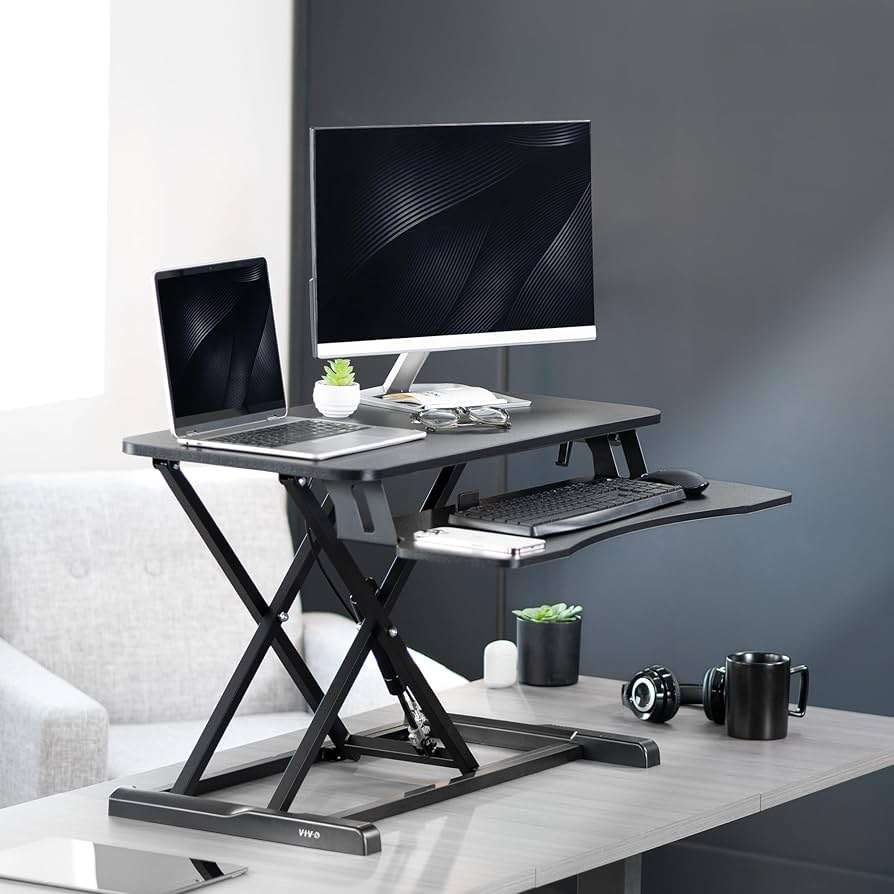
Cheaper, portable, and works with the desk you already have. The trade-off: a smaller raised surface, less stability with heavy dual-monitor setups, and a two-level workspace. Our VariDesk Pro Plus 36 review covers a typical example in detail.
Standing desks in 2026: buy one if / skip it if
Buy a standing desk if
- You spend 5+ hours a day at your desk and want to vary your posture
- You’re building a long-term home office and want a setup that adapts to you
- You share a workspace with someone of a different height
- You already tried a converter and stand regularly
Skip it (or choose a converter) if
- You expect it to fix back pain on its own — posture variation may help, but it doesn’t replace movement, breaks, or a properly adjusted setup
- You rarely work at a desk for long stretches
- You rent or move often and want minimal furniture commitment
- Your budget is very tight — a good chair and monitor position may matter more first
How to choose a standing desk in 2026
Most standing desk regrets come from three decisions made too quickly: the wrong type of desk for the space, a desktop that’s too small for the monitor setup, and a frame that wobbles at standing height. Brand comes last. Before comparing models, lock in four things: the type (electric, manual, or converter), the size your room and monitors actually need, the height range that fits your body, and the stability you can expect at full extension. The sections below walk through each one in the order you should decide them.
Should you choose an electric standing desk, a manual desk, or a converter?
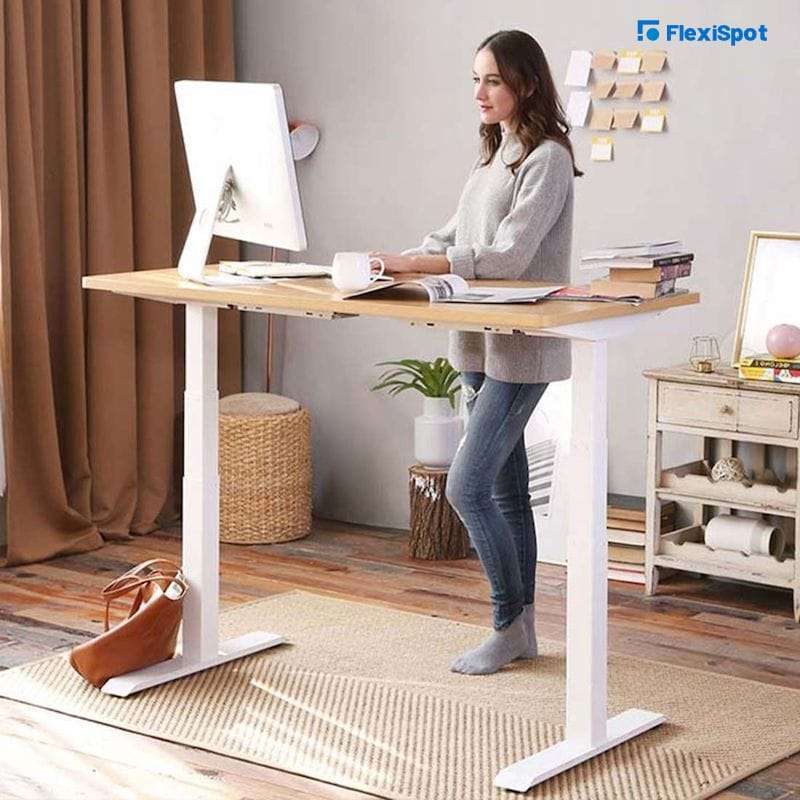
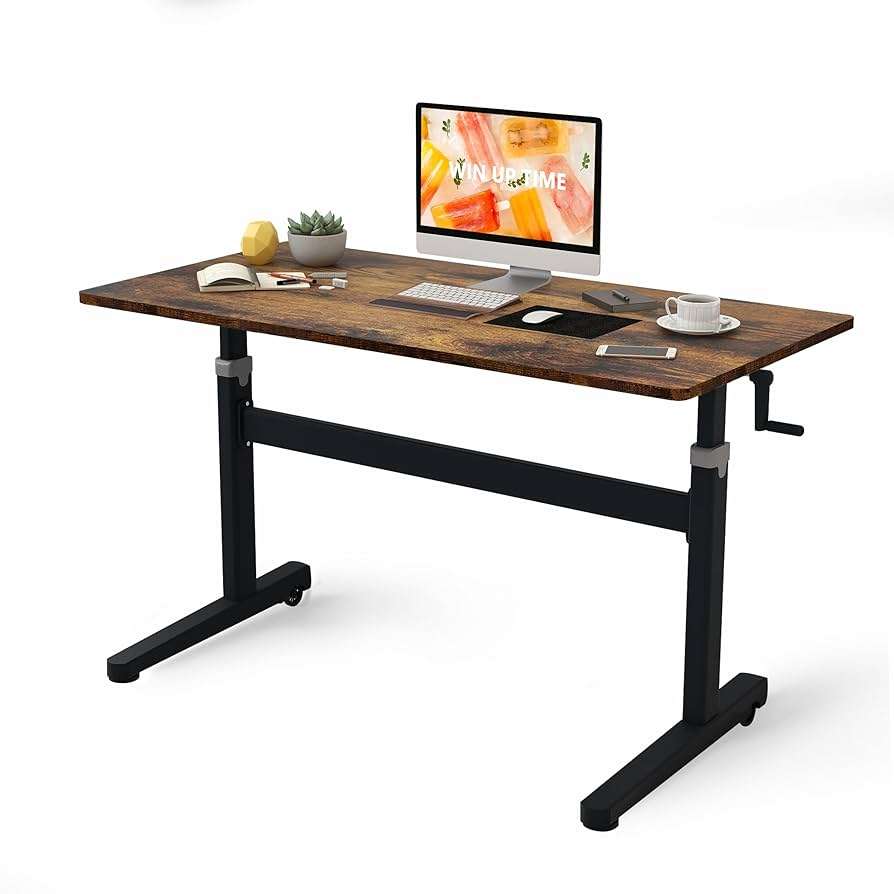
Electric desks dominate the market in 2026 for a simple reason: memory presets remove the friction of switching positions, and if switching takes effort, most people stop doing it within weeks. Manual crank desks cost less and have no motor to fail, but the adjustment effort means they tend to stay at one height. Converters are the pragmatic middle path when a full desk swap isn’t realistic.
| Type | Strengths | Trade-offs | Worth it if |
|---|---|---|---|
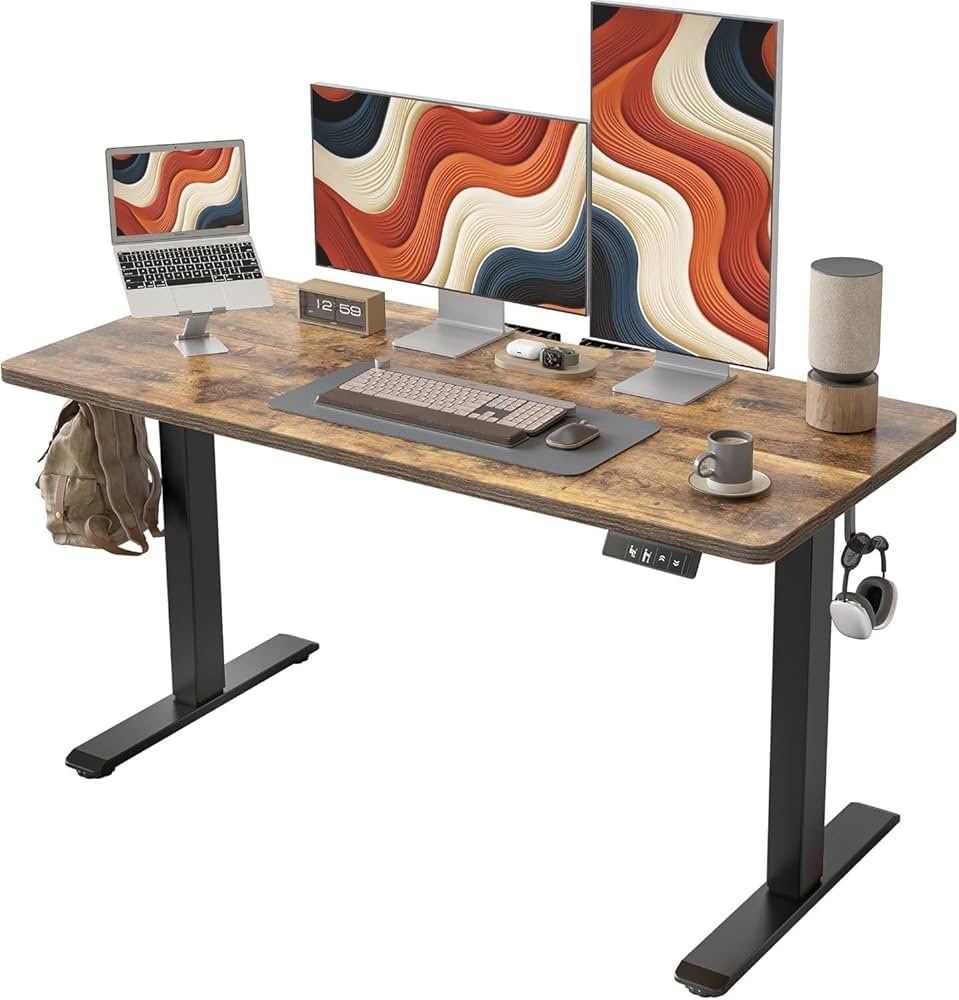
| Electric sit-stand desk | Memory presets, effortless switching, best long-term ergonomics | Higher price, assembly, needs an outlet | You work at your desk daily and want a permanent setup |
| Manual crank desk | Lower price, no motor, no power needed | Adjusting takes effort, so most users stop switching | You mostly need one fixed height with occasional changes |
| Desk converter | Cheapest entry, keeps your current desk, portable | Smaller raised surface, two-level workspace, limited monitor weight | You rent, have a desk you like, or want to test standing first |
What size standing desk do you need?
Measure your wall space first, then subtract clearance for the desk to move: legs and feet often extend slightly beyond the desktop, and you need room to walk around it. As a working rule: 48” wide handles a laptop plus one monitor comfortably; 60” wide is the sweet spot for dual monitors or a monitor plus laptop stand; 72” and up suits multi-monitor setups, audio gear, or shared surfaces. Going too small is the mistake people notice daily; going slightly too big is rarely regretted if the room allows it.
What height range should you look for?
The correct standing height puts your elbows at roughly 90 degrees with shoulders relaxed and the top of your screen near eye level. Check the desk’s lowest height too, not just the highest: shorter users are more often let down by a desk that won’t go low enough for correct seated typing. Three-stage legs (like those on the UPLIFT V3) typically offer a wider range than two-stage frames — useful if the desk is shared between people of different heights, or paired with a walking pad that raises your effective floor level by an inch or two.
How stable should a standing desk be?
Stability is the single biggest quality gap between budget and premium desks — and you only discover it at full standing height, where cheap frames wobble front-to-back while you type. What drives stability: leg construction and column overlap, crossbar or reinforcement design, foot geometry, and how much weight sits on the desktop. A desk that feels fine at sitting height can still bounce at 45 inches with two monitors on arms. If you’re tall or run a heavy setup, prioritize frames engineered for rigidity over frames that merely list a high weight capacity — the two are not the same thing.
Desktop depth and monitor distance: the overlooked spec
Width gets all the attention, but depth determines whether your monitor sits at a comfortable viewing distance — roughly arm’s length for typical screen sizes. A 24”-deep desktop gets tight with a large monitor and a keyboard in front of it; 30” of depth gives your eyes proper distance and leaves room for a keyboard, mouse, and notebook. A monitor arm partially compensates on shallow desks by pushing the screen back past the rear edge, but check your wall clearance first.
Cable management and accessories: plan them before day one
A desk that moves 25 inches up and down turns loose cables into a daily problem: they snag, unplug, or drag equipment. Plan three things before assembly. First, a cable tray or basket under the desktop to carry the power strip so only one cable runs to the wall. Second, slack in every cable that connects the desk surface to the floor or wall, measured at full standing height. Third, only the accessories you’ll use: a monitor arm and a cable tray earn their place; most other add-ons can wait until you’ve worked at the desk for a month.
Best overall: UPLIFT V3 Standing Desk
Released in late 2025 as the successor to the long-running V2, the UPLIFT V3 focuses on the two complaints that followed electric desks for years: wobble at standing height and tedious assembly. The frame was redesigned for front-to-back rigidity, the legs use a three-stage lift for a wider height range (roughly 22.6” to 48.7”), and the dual motors run quietly with four memory presets. Assembly is now a largely pre-assembled, single-tool process, and the desk carries a 15-year warranty. The configuration options — desktop sizes from compact to 80” wide, multiple materials and frame colors — remain the deepest in the category. If you want a specific desktop option, our UPLIFT bamboo standing desk review looks at the bamboo surface in detail.
Best for
Long workdays, premium home offices, dual-monitor setups, shared desks needing a wide height range.
Not ideal for
Tight budgets, temporary workspaces, or buyers overwhelmed by configuration choices — the options run deep.
Best mid-range electric: Vari Electric Standing Desk
Vari’s pitch is simplicity: the Electric Standing Desk arrives with most of the work done, and assembly is closer to unboxing than to furniture building. You give up the deep configuration menu of the UPLIFT ecosystem, but you gain a desk that’s set up in well under an hour, with solid stability, memory presets, and a clean, office-grade look. It’s the right call for buyers who want a reliable electric desk without spending an evening on a configurator — or on assembly.
Best for
Buyers who value fast, simple assembly, home offices that need a dependable desk without customization overhead.
Not ideal for
Users who want extensive desktop sizes, materials, or accessory ecosystems to choose from.
Best small-space option: a desk converter
A converter sits on the desk you already own and raises your screen and keyboard to standing height. It’s the cheapest way to add standing work, it moves with you, and it requires no assembly of a full frame. The trade-offs are real: the raised surface is smaller, heavy dual-monitor setups can exceed what the mechanism handles comfortably, and you work on two levels. For renters, small rooms, or anyone testing whether they’ll actually stand before committing to a full desk, it’s the rational starting point. We cover a typical manual converter in our VariDesk Pro Plus 36 review.
Best for
Renters, compact rooms, first-time standing users, and anyone attached to their current desk.
Not ideal for
Heavy dual-monitor setups, users who want a single flat work surface, or permanent long-term workstations.
Best on a budget: entry-level electric desks
Budget electric desks have improved meaningfully: single-motor frames with basic presets now start well under the price of premium models. The compromises are predictable — more wobble at full height, narrower height ranges, shorter warranties, and thinner desktops — but for a secondary workspace or a first electric desk, several are genuinely worth it. Rather than pick one model here, we maintain a dedicated, regularly updated guide: the best standing desks under $300.
Best for
Tight budgets, secondary or occasional workspaces, students, first electric desks.
Not ideal for
Tall users at full standing height, heavy multi-monitor setups, or buyers expecting premium-grade stability.
What mistakes should you avoid when buying a standing desk?
The same errors come up again and again, and most are avoidable before checkout.
Buying on width alone
A wide but shallow desktop leaves your monitor too close to your eyes. Check depth — 30” is the comfortable standard for monitor setups.
Ignoring the minimum height
Shorter users need the desk to go low enough for correct seated typing. Many budget frames don’t.
Judging stability at sitting height
Every desk feels stable when it’s low. The test that matters is full extension with your real equipment on it.
Skipping cable planning
A moving desk with fixed-length cables is a daily annoyance and a risk to your equipment. Plan the tray and slack before assembly.
Expecting the desk to do the work
A standing desk can help you vary your posture and reduce uninterrupted sitting time, but it doesn’t replace movement, breaks, or a properly adjusted ergonomic setup.
Overbuying accessories on day one
Start with a monitor arm and cable management. Add the rest once you know how you actually use the desk.
Best standing desk by user profile
Specs matter less than fit. Here’s how the recommendations map to real situations.
| Your situation | Our recommendation | Why |
|---|---|---|
| Full-time remote worker, permanent home office | UPLIFT V3 Standing Desk | Stability, height range, and warranty built for daily long-term use |
| Hybrid worker who wants a solid desk without a project | Vari Electric Standing Desk | Near plug-and-play assembly, dependable stability, clean look |
| Renter, small room, or attached to your current desk | Desk converter — see our VariDesk Pro Plus 36 review | Standing work without replacing furniture or committing space |
| First electric desk on a tight budget | Entry-level electric — see best standing desks under $300 | Real presets and adjustment at a fraction of premium pricing |
| Two users sharing one desk (different heights) | UPLIFT V3 Standing Desk | Wide three-stage height range plus four memory presets |
| Unsure you’ll actually stand | Desk converter first | Test the habit for months before investing in a full desk |
Do you even need a standing desk? The honest alternatives
A pillar guide should say this plainly: some readers will get more value elsewhere. If your main problem is discomfort while sitting, a properly adjusted ergonomic chair and correct monitor height usually deliver more improvement per dollar than changing the desk. If your goal is simply to move more, scheduled breaks and short walks cost nothing and don’t depend on furniture. And if you like your current desk, a converter or even a monitor arm plus keyboard tray can fix most setup issues. A standing desk earns its place when you work long hours at a desk and genuinely want to alternate positions — not as a first response to an uncomfortable chair.
Final verdict: the standing desk to buy in 2026
For most people building a serious home office in 2026, the UPLIFT V3 Standing Desk is the strongest overall choice: a frame redesigned for stability at standing height, a wide three-stage height range, quiet dual motors with memory presets, and a 15-year warranty — with the deepest configuration options in the category. The Vari Electric Standing Desk is the right pick if you’d rather unbox a desk than configure one. And if a full desk swap isn’t realistic, a desk converter remains a legitimate answer, not a consolation prize.
Whichever route you take, remember what the desk is for: varying your posture and breaking up uninterrupted sitting — not replacing movement, breaks, or a properly adjusted setup.
Prices and availability change frequently — always check the current listing.
How we evaluate standing desks
We evaluated standing desks based on buyer-relevant criteria: desk type, stability, height range, desktop size, monitor support, setup complexity, cable management, long-term workspace fit, and value for different use cases. We also considered whether a full standing desk or a desk converter makes more sense for each type of user.
Our assessments draw on manufacturer specifications, documented product changes between generations, and aggregated user feedback — not on claims we can’t verify. We do not use fixed Amazon prices because prices and availability change frequently, and we flag clearly when a recommendation is a category (like budget electric desks) rather than a single model.
Standing desk FAQ
Are standing desks worth it in 2026?
Yes, if you work long hours at a desk and will actually alternate between sitting and standing. A standing desk helps you vary posture and reduce uninterrupted sitting time. It’s not worth it if you rarely work at a desk or expect it to fix pain on its own.
What is the best standing desk for a home office?
For most home offices, the UPLIFT V3 Standing Desk is the best overall choice in 2026, thanks to its stability, wide height range, and configuration options. The Vari Electric Standing Desk is a strong alternative if you want simpler assembly.
Is an electric standing desk better than a manual one?
For most users, yes. Electric desks with memory presets remove the friction of switching positions, which is what keeps people alternating over time. Manual desks cost less but tend to stay at one height because adjusting them takes effort.
Is a desk converter better than a full standing desk?
A converter is better if you already own a desk you like, rent your space, or want to test standing work at a lower cost. A full standing desk is better for permanent setups, larger monitors, and a single flat work surface.
How long should you stand at a standing desk?
There is no single proven ratio. A common approach is alternating regularly — for example 30 to 60 minutes of sitting followed by a standing period — and adjusting to comfort. Frequent position changes matter more than total standing time.
Do standing desks help with back pain?
A standing desk can help you vary your posture and reduce uninterrupted sitting, which some users find more comfortable. It is not a treatment for back pain and doesn’t replace movement, breaks, a properly adjusted setup, or medical advice for persistent pain.
What size standing desk is best for dual monitors?
A 60-inch-wide desktop is the practical sweet spot for dual monitors, with 30 inches of depth for comfortable viewing distance. A 48-inch desk can work with a dual monitor arm, but it gets tight.
What features matter most in a standing desk?
In order: stability at standing height, a height range that fits your body (including the minimum height), desktop size and depth, memory presets, and cable management. Brand and accessories come after these fundamentals.
Are cheap standing desks worth it?
Some are, for secondary workspaces or first electric desks. Expect trade-offs: more wobble at full height, narrower height ranges, and shorter warranties. Our guide to the best standing desks under $300 covers the models that handle these compromises best.
What is the biggest mistake when buying a standing desk?
Judging stability at sitting height. Every desk feels solid when it’s low; the real test is full standing height with your actual equipment on it. The second biggest mistake is ignoring desktop depth, which determines your monitor distance.
Changelog
July 2026: Full guide restructure. Updated top pick to the UPLIFT V3 Standing Desk (released late 2025, successor to the V2). Removed discontinued Fully Jarvis recommendation. Added decision framework (desk type, size, height range, stability, depth, cable management), recommendations by user profile, revised FAQ, and updated internal links.

Leave a Reply
You must be logged in to post a comment.