
Introduction: The Foundation of a Better Workspace

A truly ergonomic and clutter-free desk setup begins with one key component: proper monitor positioning. For remote professionals, creative designers, or anyone committed to high-level productivity, a quality monitor arm can fundamentally change your workday. The right arm doesn’t just elevate your screen to the ideal height; it frees up valuable desk space, encourages better posture, and introduces a new level of flexibility into your workflow.
In this comprehensive guide, we’ve handpicked five of the best monitor arms for desk setups in 2026, covering a wide range of budgets and use cases. Whether you’re optimizing a dual-screen workstation or seeking a minimalist mount for a single display, this guide will walk you through the top choices, complete with performance breakdowns, real-world insights, and a side-by-side comparison.
How DeskZen Reviews
To create the most comprehensive review possible, our team analyzes dozens of sources. This includes hands-on reviews from expert publications, technical data from manufacturers, and hundreds of verified customer ratings from sites like Amazon and Reddit. We synthesize this data to give you a complete, unbiased picture of the product’s real-world performance. We don’t give one opinion but a research based on multiple opinions and reviews.
⚙️ Tidy workspace? Our cable management guide will help you declutter with style.
🪑 Big desk decision? Discover why we love the UPLIFT V2 standing desk.
Buying Criteria: What Defines a Great Monitor Arm in 2026?
Before you make a purchase, it’s crucial to understand what truly matters. Here’s what we look for when evaluating a top-tier monitor arm:
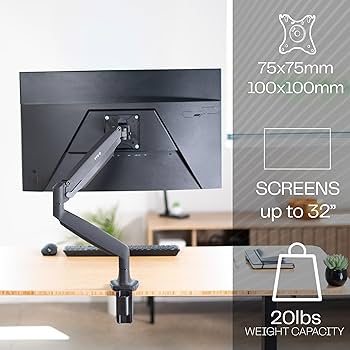
- VESA Compatibility: Most modern monitors use VESA mounts. Always double-check your monitor’s spacing (typically 75x75mm or 100x100mm) to ensure a perfect fit.
- Weight Capacity: Each arm has a specific weight range. Exceeding this can lead to sagging or, in the worst cases, equipment failure. Always stay within the recommended limits.
- Adjustment Range: Look for arms that offer a wide range of vertical lift, tilt (±15° or more), pan, swivel, and 360° rotation. This flexibility is essential for achieving a truly ergonomic setup.
- Desk Mounting System: The most common options are C-clamps (ideal for desks with an open edge) and grommet mounts (for desks with a pre-drilled hole).
- Cable Management: A well-designed, built-in cable routing channel keeps your workspace tidy and professional, preventing cable clutter.
- Build Quality & Warranty: Arms constructed from aluminum or reinforced steel offer superior stability and durability. A strong warranty (up to 10 years for premium models) is a sign of long-term reliability.
With these criteria in mind, let’s dive into our detailed reviews.
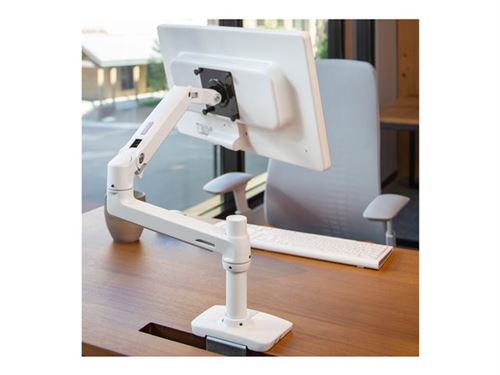
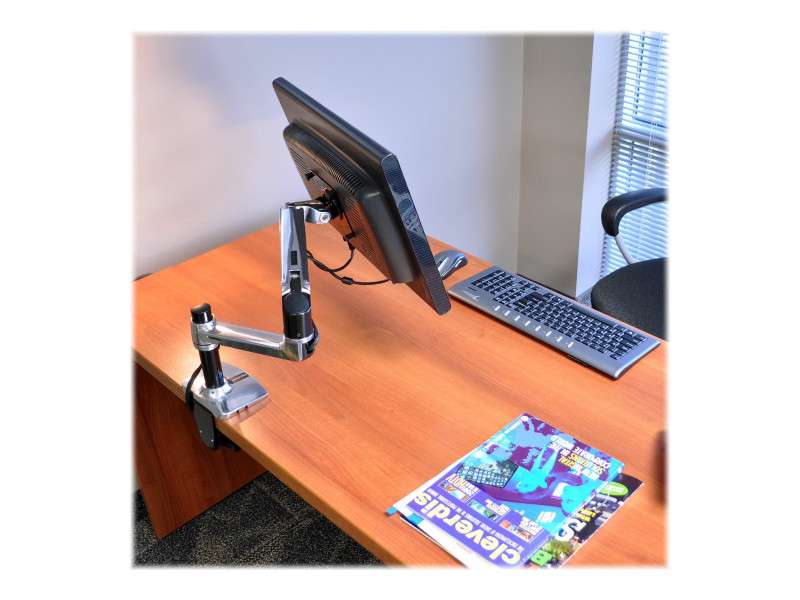
1. Ergotron LX Monitor Arm – The Gold Standard for Power Users
a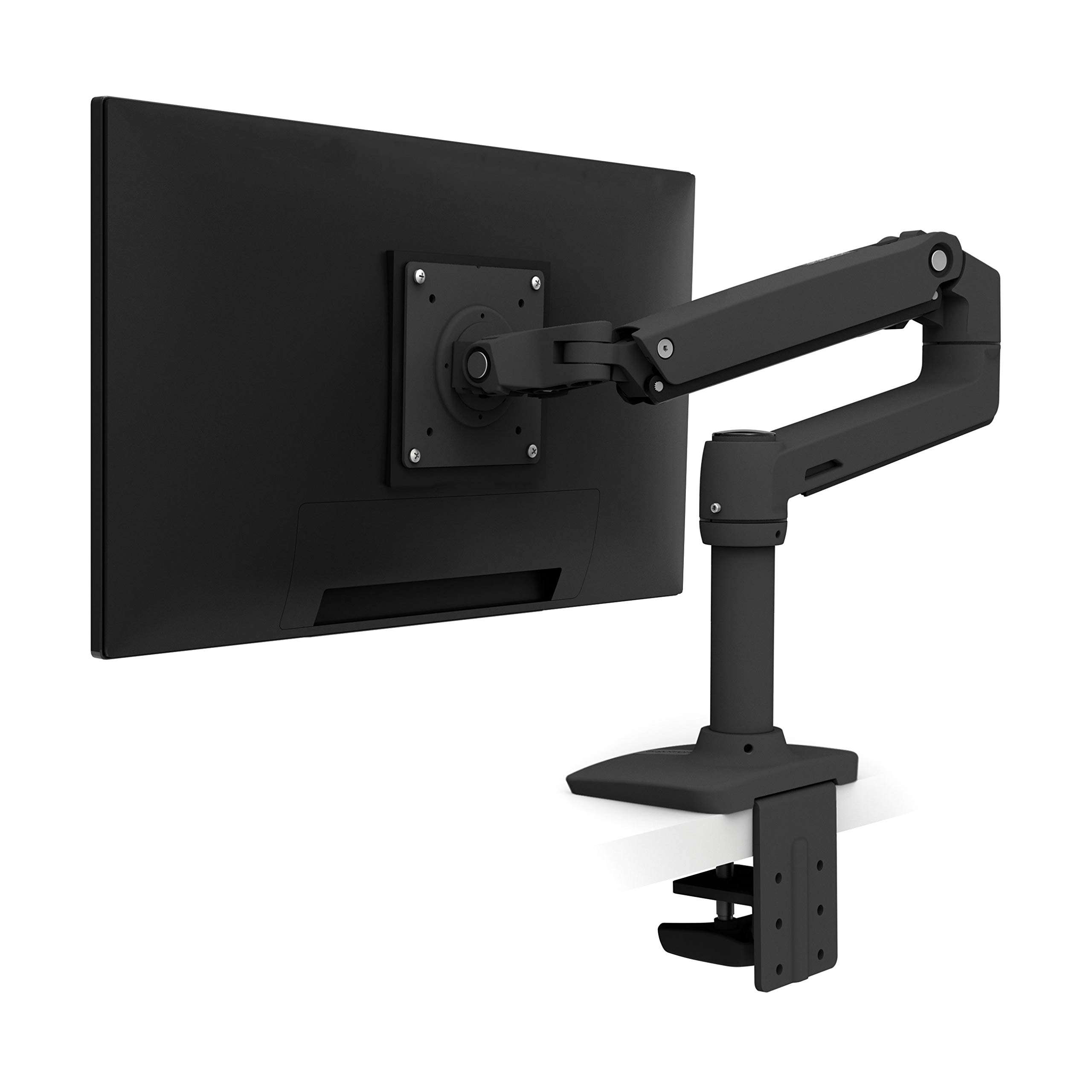
💵 Price: ~$155.99 🔗 [Check on Amazon]
Overview: The Ergotron LX is widely considered the benchmark for single-monitor arms. Celebrated for its premium materials, exceptionally smooth movement, and unparalleled stability, it’s the ideal choice for long-term setups where performance and reliability are non-negotiable. Whether you’re a creative professional, a software developer, or a medical specialist, the LX delivers one of the most stable and satisfying user experiences on the market.
Key Specs:
- Weight Support: 7 to 25 lbs (3.2–11.3 kg)
- Adjustments: 360° rotation, 75° tilt, 360° pan, and 13 inches (33 cm) of height adjustment
- Mounting: C-clamp or grommet
- Warranty: 10 years
Performance & Ergonomics: The key to the LX’s performance is its proprietary Constant Force™ technology. This allows you to adjust your monitor with a single finger, effortlessly moving it to any position without resistance or drift. It supports both portrait and landscape modes fluidly, making it perfect for dynamic workflows. In dual-monitor setups (using two LX arms), each screen can be independently adjusted without any wobble.
Design & Build: Crafted from polished aluminum, the Ergotron LX feels and looks premium. Its integrated cable management system is discreet, running neatly through the arm to maintain an ultra-professional, minimalist aesthetic. The design is sleek and unobtrusive, making it a favorite for high-end workstations where both function and form are paramount.
✅ Pros & ❌ Cons:
| Pros | Cons |
| ✅ Exceptionally smooth movement with Constant Force™ technology. | ❌ Significantly higher price than budget alternatives. |
| ✅ Wide range of motion (including 360° rotation) ideal for sit-stand desks. | ❌ Requires precise initial setup to prevent minor sagging. |
| ✅ Backed by a 10-year warranty, built for long-term professional use. | ❌ Not recommended for ultralight monitors (under 7 lbs). |
| ✅ Clean, hidden cable management system. | ❌ Initial height adjustment can be tricky for new users. |
DeskZen’s Take: The Ergotron LX is an investment in long-term comfort and precision. While its price may seem high, its durability, smooth performance, and extensive warranty make it the safest and most reliable choice for anyone building a professional workstation.
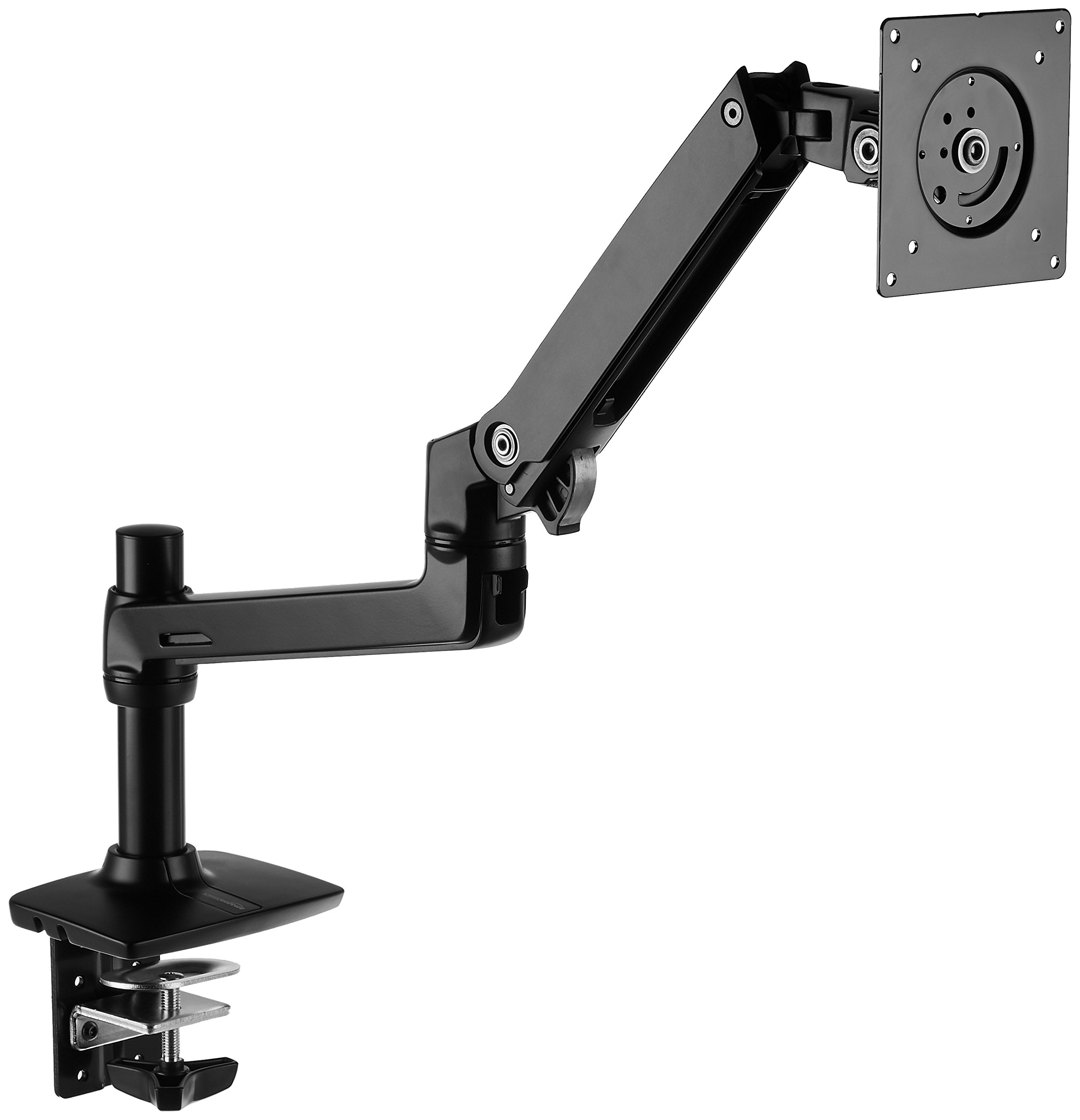
2. AmazonBasics Premium Monitor Arm – Best Value for Minimalist Setups
💵 Price: ~$28.48 🔗 [Check on Amazon]
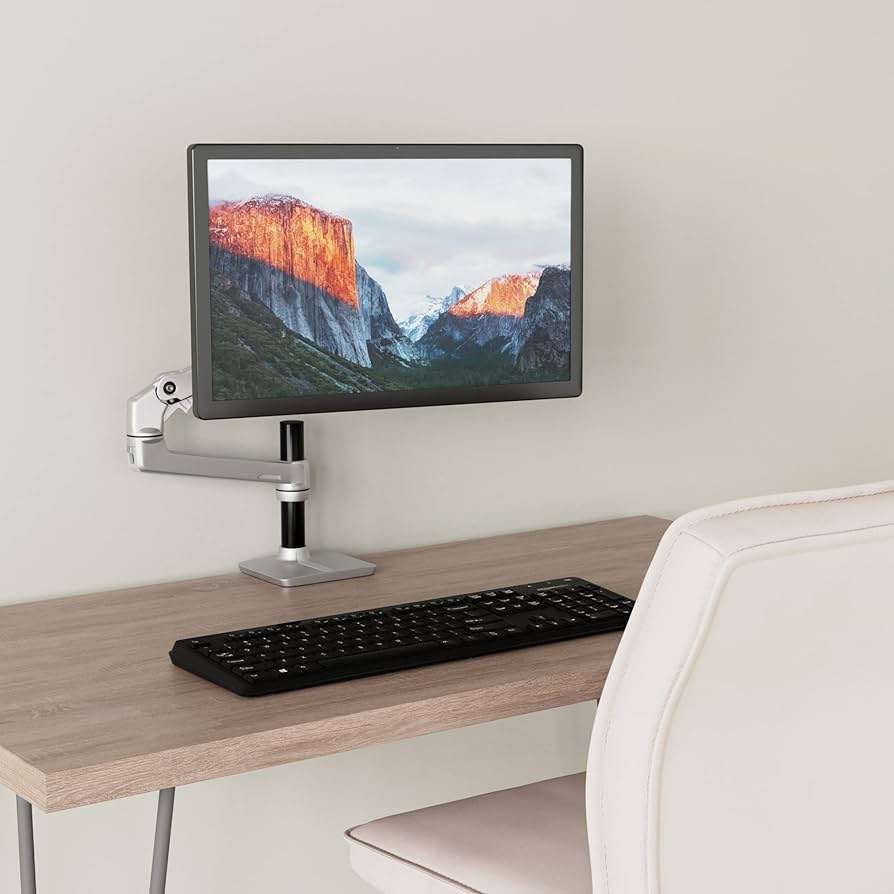
Overview: For an affordable yet highly functional option, the AmazonBasics Premium Monitor Arm is a standout choice at under $30. It offers full articulation and a surprisingly robust build, making it a perfect upgrade for students, remote workers, or anyone looking to replace a static monitor stand. Its design is based on the same OEM as more expensive models, providing premium features at a fraction of the cost.
Key Specs:
- Weight Support: 5 to 25 lbs (2.3–11.3 kg)
- Adjustments: 360° rotation, 70° tilt, 180° pan, and 13 inches of spring-assisted height adjustment
- Mounting: C-clamp and grommet included
- Warranty: 1 year (limited)
Performance & Ergonomics: This arm provides fluid, one-touch repositioning for light to mid-weight monitors. Its spring-based mechanism, while slightly more rigid than a gas spring, offers consistent long-term support. You can easily tilt, rotate, and swivel your screen, and it remains remarkably stable even at full extension, which is rare for this price point.
Design & Build: Constructed from sturdy metal with a matte black finish, the AmazonBasics arm looks clean and professional. The materials feel reliable, and its movement is solid. The integrated cable clips are effective, though they are more exposed than those on premium models. It’s a no-frills, highly functional choice for any standard home office.
✅ Pros & ❌ Cons:
| Pros | Cons |
| ✅ Exceptional value, offering full adjustability for a minimal price. | ❌ Build quality is functional but less refined, with more plastic components. |
| ✅ Wide range of motion, comparable to much more expensive arms. | ❌ Spring mechanism can feel stiff with heavier monitors. |
| ✅ Easy installation with both clamp and grommet options included. | ❌ Only a 1-year warranty. |
| ✅ Compatible with a wide weight range (5-25 lbs). | ❌ Cable management is adequate, but cables may be partially visible. |
DeskZen’s Take: This is the arm we recommend for anyone new to ergonomic setups. It provides almost everything the average user needs without a significant investment. It’s an excellent “hidden gem” for students and freelancers where budget is a key consideration.
3. VIVO Single Monitor Gas Spring Arm – Mid-Range Performance & Style
💵 Price: ~$59.99 🔗 [Check on Amazon]
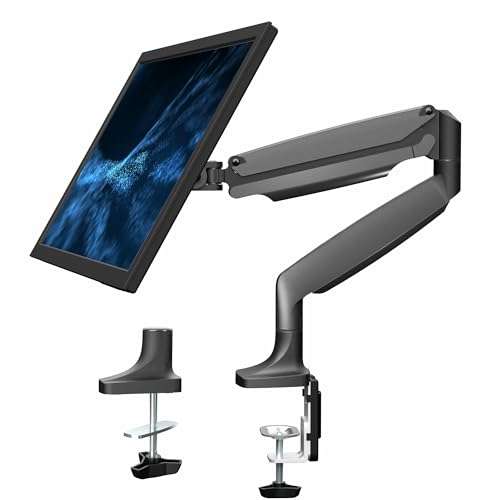
Overview: The VIVO Single Monitor Gas Spring Arm strikes a perfect balance between budget and premium features. It offers the smooth, responsive movement of a gas spring system, a full suite of ergonomic adjustments, and a robust build quality that exceeds expectations for its price. This makes it a popular choice for remote workers, streamers, and students.
- Weight Support: 4.4 to 14.3 lbs (2–6.5 kg)
- Adjustments: 360° rotation, +90° to -45° tilt, 180° pan, and 13 inches of gas spring height adjustment
- Mounting: C-clamp or grommet
- Warranty: 3 years
Performance & Ergonomics: The gas spring mechanism makes vertical movement light and responsive, allowing for effortless screen repositioning. Its tilt and swivel adjustments are fluid, and it holds position well with no noticeable wobble, even at full extension. It also supports portrait orientation, which is excellent for coding or reading.
Design & Build: With a sleek matte black finish and clean lines, the VIVO arm looks modern and professional. The materials are a good balance of weight and rigidity, providing a stable foundation on desks up to 3.3 inches thick. The cable routing uses plastic covers, which are functional for most setups, though they can sometimes pop loose if overloaded.
✅ Pros & ❌ Cons:
| Pros | Cons |
| ✅ Gas spring mechanism delivers smooth vertical movement at a mid-range price. | ❌ Limited weight capacity (up to 14.3 lbs) may not support large monitors. |
| ✅ Highly flexible articulation for a personalized screen position. | ❌ Cable covers can be flimsy. |
| ✅ Clean aesthetic with a modern matte finish. | ❌ Not ideal for dual-monitor expansion. |
| ✅ 3-year warranty with solid user support. | ❌ Can feel slightly stiff in horizontal swing. |
DeskZen’s Take: The VIVO Gas Spring arm is the best option for those who want gas-spring motion and a clean design without the premium price tag. For under $60, it delivers a level of performance and style typically found in more expensive models. It’s the perfect choice for a modern home office with a focus on flexibility.
4. Huanuo Monitor Mount – The Budget Warrior for Daily Use
💵 Price: ~$33.99 🔗 [Check on Amazon]
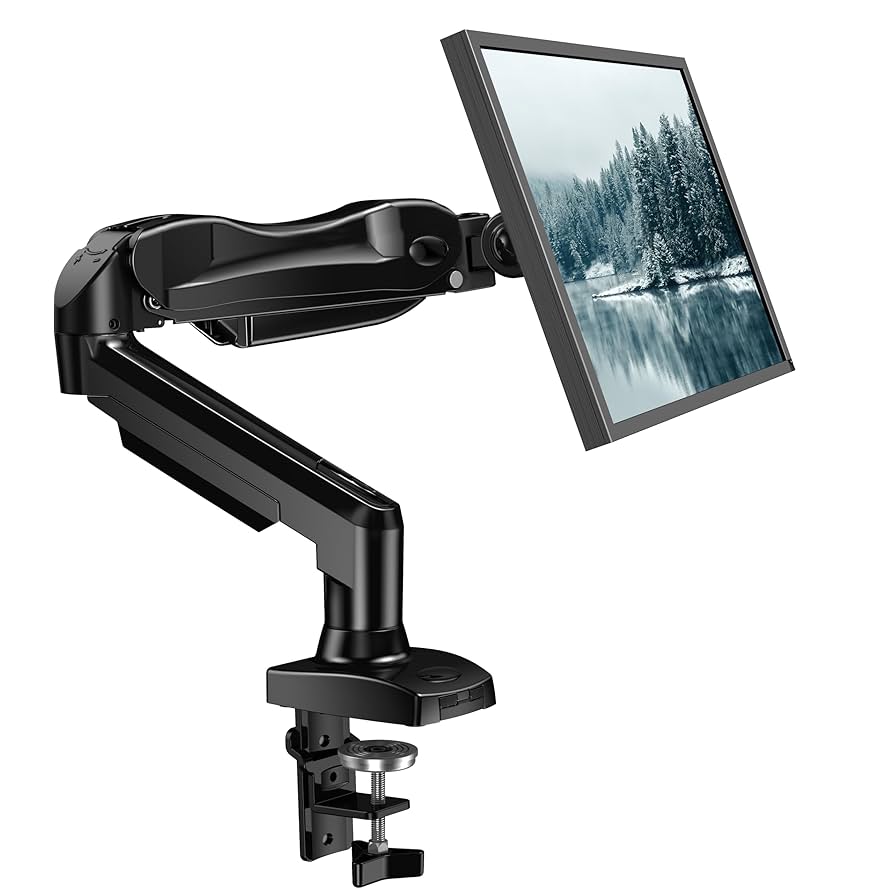
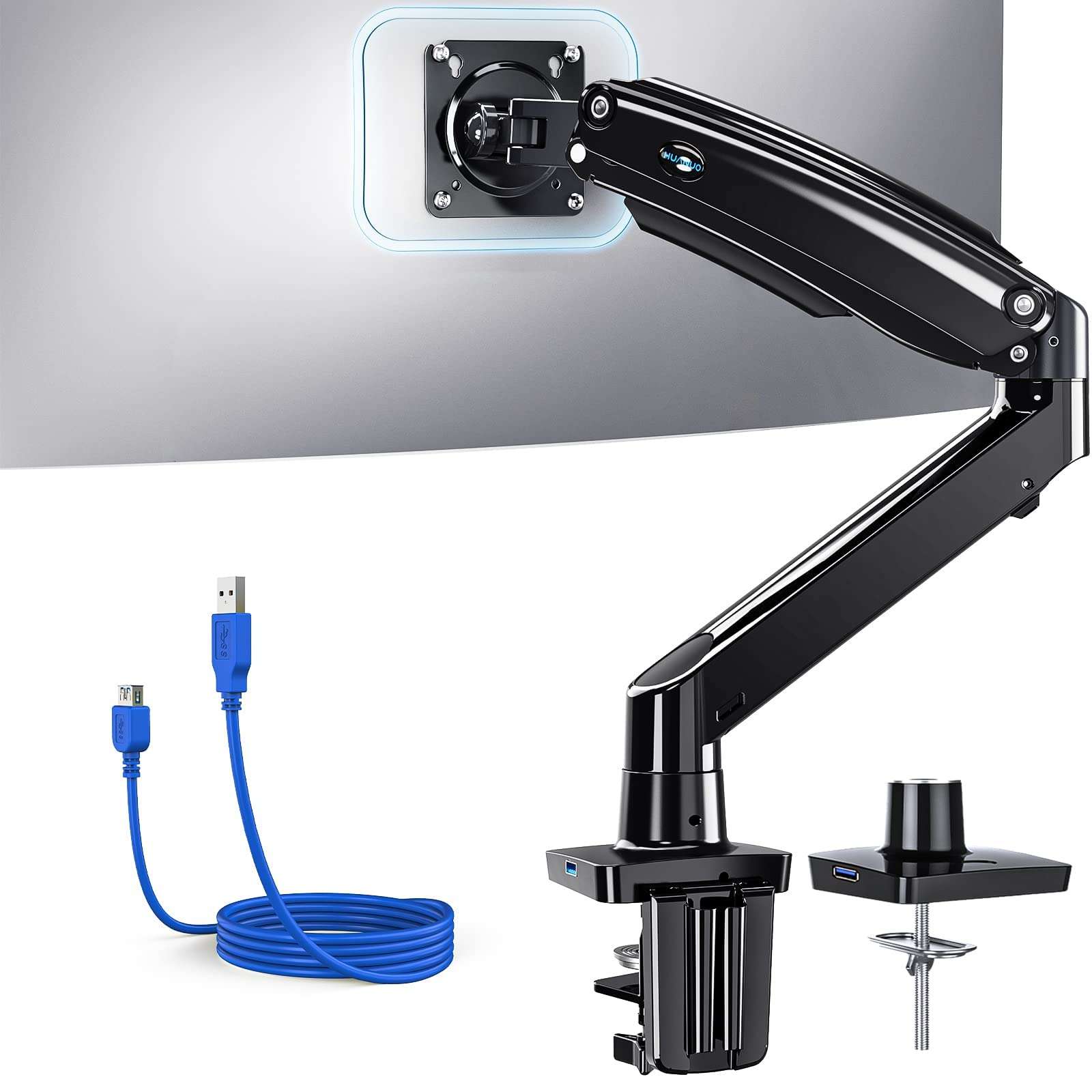
Overview: The Huanuo Single Monitor Mount is one of the most popular entry-level arms on Amazon. It’s known for its genuinely low price and surprisingly consistent performance. Offering gas-spring lift and a wide range of motion, it’s a flexible and cost-effective solution for remote workers, students, and casual users looking to improve their ergonomics.
Key Specs:
- Weight Support: 4.4 to 14.3 lbs (2–6.5 kg)
- Adjustments: 360° rotation, +90° to -45° tilt, 180° swivel, and 13 inches of gas spring height adjustment
- Mounting: C-clamp or grommet included
- Warranty: 1 year
Performance & Ergonomics: The Huanuo mount holds most standard monitors securely and smoothly. The gas spring system is responsive, though it may require some fine-tuning during initial setup to find the perfect tension. You can easily rotate to portrait mode, adjust the tilt, or swing the screen for collaboration. The adjustments are stiffer than premium arms but a significant upgrade from static stands.
Design & Build: Constructed from aluminum alloy and ABS plastic, the design feels light but well-engineered. The clamp base is stable, and installation is quick and easy. The cable management system is basic but functional, using two plastic covers to keep cables organized. This model fits perfectly into compact workstations or budget-conscious home offices.
✅ Pros & ❌ Cons:
| Pros | Cons |
| ✅ Best-performing arm under $35 with a true gas spring system. | ❌ Plastic components can feel cheaper. |
| ✅ Easy portrait/landscape rotation and good tilt range. | ❌ Adjustment tension needs fine-tuning for lighter monitors. |
| ✅ Simple, clean design with a small footprint. | ❌ Only a 1-year warranty. |
| ✅ Includes both mount types and tools for setup. | ❌ Cable clips are not fully flush with the arm. |
DeskZen’s Take: We consider the Huanuo a “budget warrior.” Its performance-to-price ratio is outstanding. It’s a reliable product that gets the job done day after day. For users who need a cleaner, more ergonomic setup without constant repositioning, Huanuo delivers excellent value.
Enjoy peace of mind with fast, reliable deliveries — and unlock a world of benefits including Prime Video, exclusive deals, and more.
Try Amazon Prime free for 30 days →
5. WALI Dual Monitor Mount – The Best Budget Option for Two Screens
💵 Price: ~$32.29 🔗 [Check on Amazon]
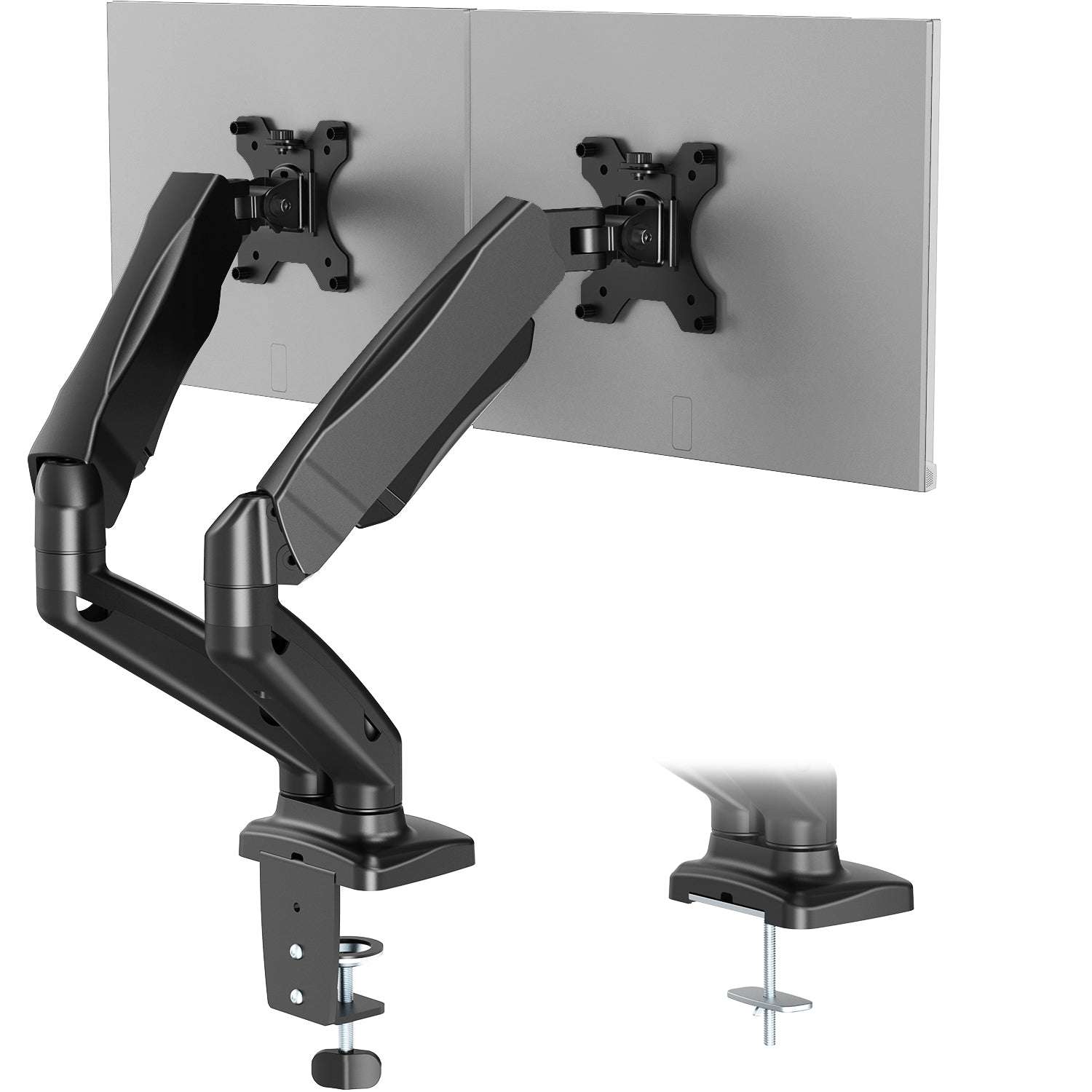
Overview: The WALI Dual Monitor Mount is a compelling solution for anyone managing multiple displays on a tight budget. Supporting two 13″ to 27″ monitors side-by-side, this mount provides essential articulation, a stable base, and a clean aesthetic without the high cost of most dual-arm setups. It’s ideal for remote workers, gamers, and multitaskers looking to organize their dual-screen layout.
Key Specs:
- Weight Support: Up to 22 lbs per arm (max 44 lbs total)
- Adjustments: 360° rotation, ±15° tilt, 90° swivel
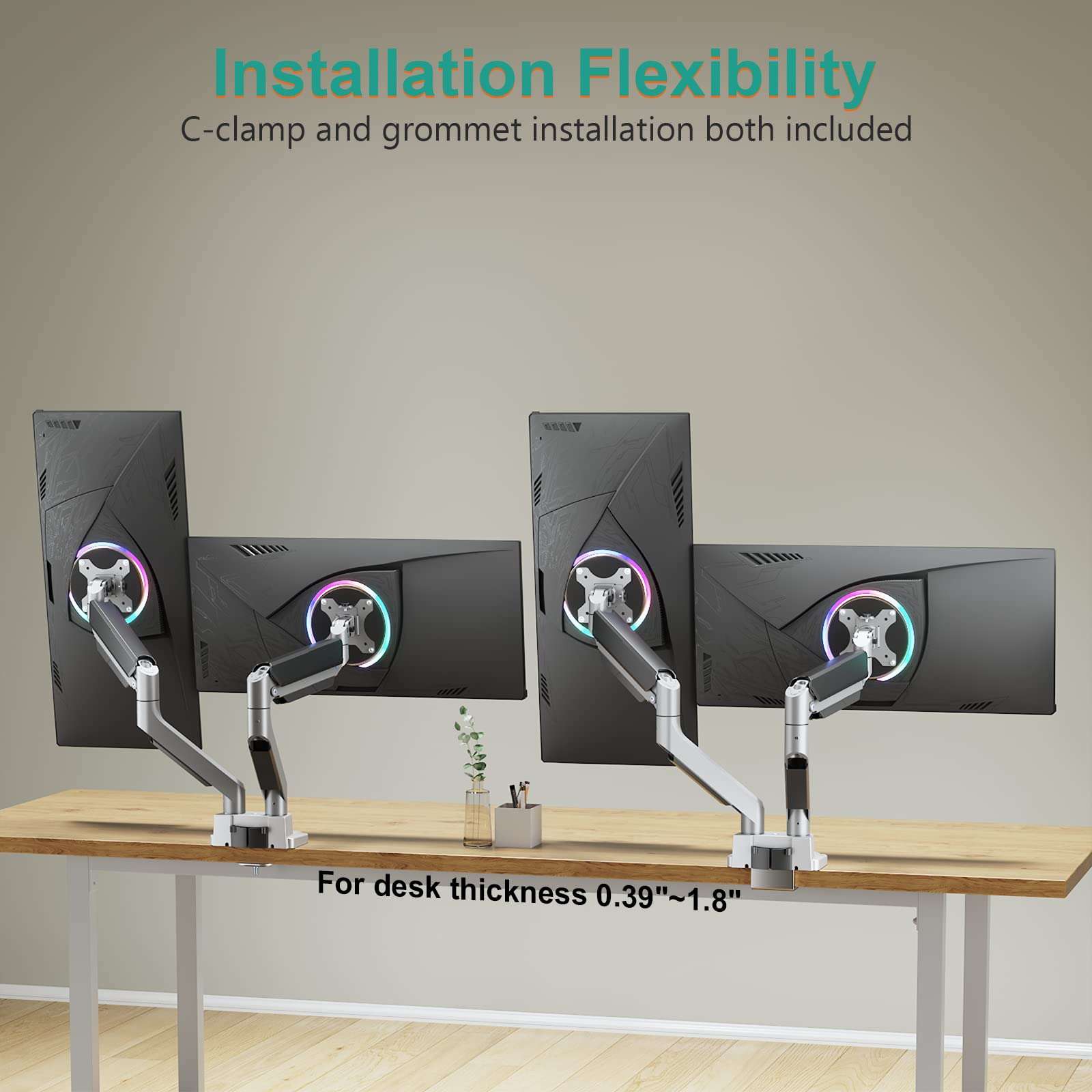
- Mounting: C-clamp or grommet base
- Warranty: 1 year
Performance & Ergonomics: Unlike gas-spring arms, the WALI uses fixed joints and pole-height adjustment. This provides a more rigid and stable experience, ideal for static setups. Once positioned, each monitor remains securely in place with minimal wobble. Tilt and swivel adjustments require manual tensioning, so this isn’t an arm for frequent, dynamic repositioning.
Design & Build: Built with heavy-duty steel and solid joints, this mount feels extremely secure once installed. The central pole allows for independent height adjustment, and the side arms extend easily. Cable management is provided by basic snap-on clips, which are functional and keep things organized. This mount excels in basic productivity setups, such as for finance dashboards or coding layouts.
✅ Pros & ❌ Cons:
| Pros | Cons |
| ✅ Excellent dual-monitor solution for under $35. | ❌ Lacks gas spring adjustment for dynamic repositioning. |
| ✅ Heavy-duty steel build provides long-term durability and no sag. | ❌ Pole-based height adjustment is less ergonomic. |
| ✅ Supports monitors up to 27 inches per side. | ❌ Swivel and tilt knobs require manual, finicky adjustment. |
| ✅ Stable and vibration-resistant. | ❌ Not suited for users needing frequent multi-angle changes. |
DeskZen’s Take: Dual-monitor setups are often expensive, but the WALI mount proves they don’t have to be. It’s a fundamentally strong and reliable product. If your monitors are mostly static (e.g., for finance, coding, or research), this mount gives you a rock-solid foundation without the high cost or visual clutter.
Monitor Arms Comparative table
| Model | Price | Weight Capacity | Main Strength | Main Weakness |
|---|---|---|---|---|
| Ergotron LX | ~$155.99 | 7–25 lbs | Ultra-smooth motion (Constant Forceu2122) | High price point for casual users |
| AmazonBasics Premium | ~$28.48 | 5–25 lbs | Excellent value under $30 | Lower build quality (plastic elements) |
| VIVO Gas Spring | ~$59.99 | 4.4–14.3 lbs | Gas-lift smoothness at mid-price | Flimsy cable cover design |
| Huanuo Monitor Mount | ~$33.99 | 4.4–14.3 lbs | Great performance for budget setups | Plastic build and clips feel cheap |
| WALI Dual Monitor | ~$32.29 | Up to 22 lbs/arm | Dual-screen stability under $35 | Lacks gas spring or dynamic motion |
DeskZen Analysis: Choosing the Right Monitor Arm for Your Setup
After reviewing all the technical specs and side-by-side comparisons, here’s our final breakdown:
- Ergotron LX is the gold standard for professionals who demand precision, zero wobble, and long-term durability. It’s the safest investment for a daily workspace.
- AmazonBasics Premium offers outstanding value. It’s a capable, “set it and forget it” tool for the average remote worker.
- VIVO Gas Spring is ideal for modern desk setups where design and flexibility are a priority. It perfectly balances price and smooth motion.
- Huanuo is for students and budget users. It’s a reliable and effective product that simply gets the job done without any fuss.
- WALI Dual is for multitaskers and analysts. While it doesn’t glide, it holds two screens reliably all day long.
Our Advice: Choose based on your behavior.
- Do you adjust your screen often? Go for gas spring arms (Ergotron, VIVO, Huanuo).
- Do you prefer a fixed, static setup? WALI is an unbeatable value for dual monitors.
- Do you want the best build quality possible? The Ergotron stands alone.
User & Expert Insights
- “After two years, my Ergotron LX hasn’t sagged a millimeter. Worth every penny.” – Verified Amazon Review
- “The AmazonBasics arm is the best-kept secret on Amazon. I own three.” – User comment, r/HomeOffice
- “We recommend gas-spring mounts for ergonomic setups that require frequent motion, especially for standing desks.” – Dr. Emily Zhao, Ergonomics Consultant
- “The Huanuo holds up surprisingly well under repeated use. My only issue is the plastic covers popping loose.” – TechTools Weekly
🏁 Final Recommendation: Which Arm Should You Choose?
Still undecided? Here is our rapid-fire guidance:
- For power users, designers, and coders: Go for the Ergotron LX.
- For everyday remote workers: Choose the AmazonBasics Premium or VIVO Gas Spring.
- For students and budget-conscious users: The Huanuo Monitor Mount is your best bet.
- For two-screen setups (traders, researchers): The WALI Dual Monitor Mount is the top choice.
Whatever you choose, just remember: raising your screen is raising your focus. Make the move, elevate your setup, and your posture will thank you.
Find more office equipment reviews :
Frequent Asked Questions for Monitor Arms
Are all monitor arms compatible with every desk?
No. Most arms use C-clamps or grommet mounts, which require a flat, solid surface and minimum thickness. Always check clamp range and your desk material before purchasing.
What is the difference between spring and gas spring arms?
Gas spring arms use compressed gas for smoother, more precise motion. Standard spring arms rely on mechanical tension, which can feel stiffer and wear faster.
Can monitor arms support ultrawide or curved screens?
Yes, but only if the arm supports the monitor’s weight and VESA size. For screens above 32″, choose arms rated 15+ lbs with reinforced joints and a wide tilt range.
How do I check if my monitor is VESA compatible?
Look for four screw holes in a square pattern (75x75mm or 100x100mm) on the back of your monitor. Check your model specs online if unsure.
Are dual monitor mounts better than two single arms?
It depends. Dual arms save desk space and simplify cable routing, but two single arms offer more flexibility in positioning. Go dual if your layout is static.
Will using a monitor arm damage my desk?
Not if installed correctly. Use provided pads with clamps and avoid over-tightening. For particleboard desks, grommet mounts may offer better long-term security.

Leave a Reply