
The 4 Best 4K Monitors for Productivity & Home Office (2025)
Upgrading to a 4K monitor is the single biggest leap in clarity and screen real estate you can make. We curated the market to find the **best 4K monitors for productivity**, focusing on color accuracy, essential features, and value for your home office.
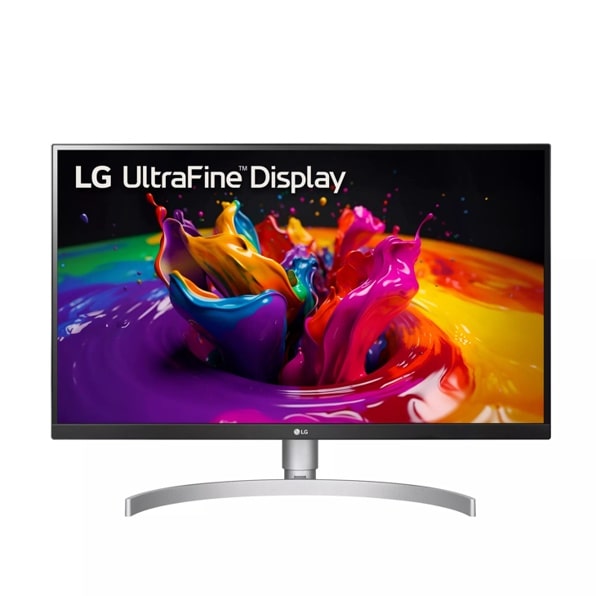
LG Ultrafine 27″ UHD (27UP850N-W)
The LG Ultrafine 27UP850N-W hits the sweet spot for professionals. It combines a vibrant, color-accurate 4K IPS panel with powerful 90W USB-C connectivity, all at a highly competitive price. It delivers a true premium experience, making it the smartest choice for most home office setups.
Price Tier: $$$$
Top Picks at a Glance
How We Curate the Best 4K Monitors
To find the **best 4K monitors for productivity**, we analyze the market through a lens of professional use, focusing on tangible benefits rather than marketing specs.
- Panel & Color Accuracy Analysis: We synthesize data from expert technical reviews on sites like RTINGS.com, focusing on color gamut coverage (sRGB, DCI-P3), factory calibration, and panel technology like IPS Black for superior contrast.
- Productivity Feature Audit: We prioritize features that streamline a modern workflow, especially the power delivery (watts) of USB-C ports, the quality of ergonomic stands (height, tilt, swivel, pivot), and the inclusion of smart features.
- E-E-A-T Compliance: Our recommendations are independent and based entirely on curated data from expert tests and thousands of verified Amazon buyer reviews.
Why a 4K Monitor is a Productivity Game-Changer
Upgrading from a standard 1080p or 1440p monitor to a 4K (3840×2160) display is one of the most significant upgrades you can make to your home office. The immense increase in pixel density results in incredibly sharp text, clearer images, and significantly more usable screen real estate, allowing you to view multiple windows side-by-side without sacrificing readability.
Buyer’s Guide: Key Criteria for a 4K Productivity Monitor
| Criterion | Why It Matters |
|---|---|
| Panel Type (IPS vs. VA) | For productivity, **IPS** (In-Plane Switching) is the gold standard. It offers superior color accuracy and wide viewing angles, essential for any work involving design or photo editing. **VA** panels offer better contrast but are less common in this category. |
| Connectivity (USB-C) | A USB-C port is a critical feature for a modern, clutter-free desk. A single cable can transmit video from your laptop, transfer data, and provide power to charge it (look for 65W or more). A full “hub” like on the Dell UltraSharp adds Ethernet and more USB ports. |
| Size (27″ vs. 32″) | **27 inches** is the sweet spot for 4K resolution, providing excellent pixel density for sharp text without requiring scaling. **32 inches** offers a more immersive canvas but text can appear smaller, sometimes requiring Windows or macOS display scaling. |
| Ergonomics (The Stand) | The ability to adjust height, tilt, swivel, and pivot (rotate to vertical) is crucial for long-term comfort. A basic, tilt-only stand is a major compromise, often necessitating a separate monitor arm. |
The 4 Best 4K Monitors: In-Depth Reviews
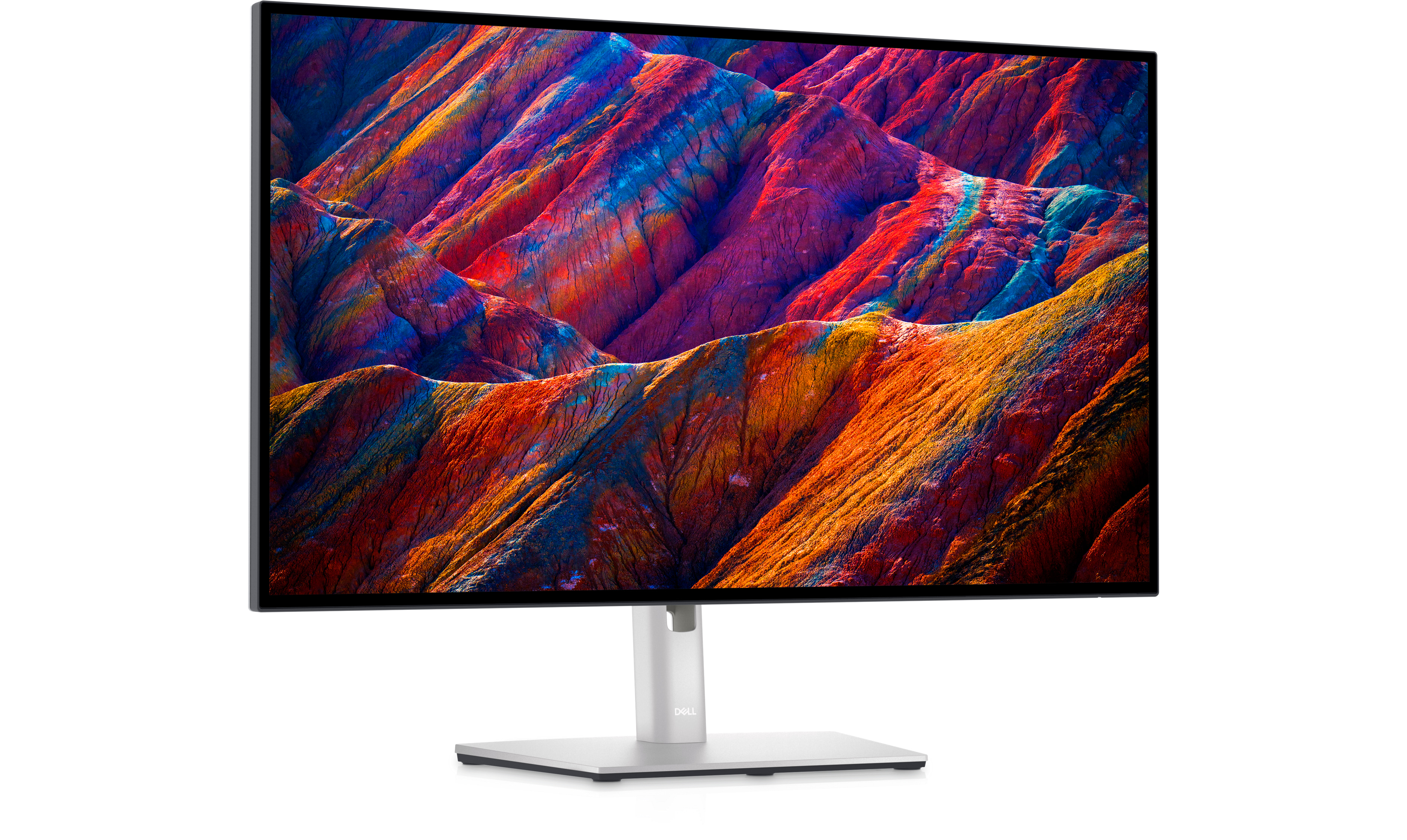
1. Dell UltraSharp 27″ 4K USB-C Hub Monitor (U2723QE) — The Professional’s Benchmark
The Dell UltraSharp U2723QE is the gold standard for creative professionals. It utilizes IPS Black technology for exceptional contrast ratios, boasts near-perfect color accuracy, and functions as a comprehensive connectivity hub with a built-in Ethernet port. For those whose work demands the absolute best color and clarity, this is one of the **best 4K monitors for productivity** money can buy.
In Context
User & Expert Synthesis
Experts from sites like RTINGS.com and DisplayNinja consistently rank the U2723QE at the top of their lists for professional monitors, citing its outstanding color gamut coverage (DCI-P3) and its deep contrast ratio, which is rare for an IPS panel. Users praise its “single-cable” setup thanks to the 90W USB-C hub and the convenience of the built-in Ethernet port. The only significant drawback noted is its premium price.
✓ Pros
- Exceptional color accuracy and wide gamut
- IPS Black technology for superior contrast
- Comprehensive hub with 90W USB-C and Ethernet
- Excellent, fully adjustable ergonomic stand
✗ Cons
- Highest price point in this category
- 60Hz refresh rate is not for gamers
DeskZen’s Take
This is a professional-grade tool, not just a monitor. If your livelihood depends on color accuracy—graphic design, video editing, photography—the investment in the UltraSharp is non-negotiable. It delivers a level of performance and reliability that justifies its premium cost.
2. LG Ultrafine 27″ UHD — Best Overall Value
The LG Ultrafine 27UP850N-W is our top pick because it offers the most compelling package for the price. You get a vibrant, factory-calibrated 4K IPS panel that covers 95% of the DCI-P3 color space, plus a powerful 90W USB-C port for single-cable connectivity. It delivers a truly premium experience without the premium price tag of the Dell UltraSharp, making it the smartest choice for most professionals.
In Context
User & Expert Synthesis
Reviewers consistently highlight this LG monitor as a “sweet spot” product. They praise its excellent image quality, noting that its color performance is very close to the more expensive Dell. The 90W power delivery is also a key feature that users love, allowing them to power and charge even demanding laptops. The main trade-off compared to the UltraSharp is a slightly less adjustable stand and the lack of a built-in Ethernet port.
✓ Pros
- Excellent 4K image quality with wide color gamut
- Powerful 90W USB-C port for single-cable setup
- Great performance for the price
- Hardware calibration support
✗ Cons
- Stand is less adjustable than the Dell UltraSharp
- No built-in Ethernet port
DeskZen’s Take
For most professionals, including developers, writers, and analysts, this LG monitor is the perfect choice. It delivers the most important premium features—a superb 4K panel and robust USB-C power delivery—at a price that is much easier to justify. It’s one of the **best 4K monitors for productivity** because it balances quality and cost perfectly.
3. Dell 27″ 4K Monitor (S2721QS) — Best Budget 4K Monitor
The Dell S2721QS is a phenomenal entry point into the world of 4K. It offers a high-quality 4K IPS panel with great color accuracy and an adjustable stand—features often missing from budget monitors. The key trade-off is the lack of a USB-C port, but if you don’t need single-cable connectivity, this monitor offers unbeatable image quality for the price.
In Context

User & Expert Synthesis
This is one of the most highly recommended budget 4K monitors by both experts and users. Its crisp, clear picture is praised universally. Users are especially impressed with the adjustable stand at this price point, which allows for height, pivot, and tilt adjustments. The lack of USB-C is the most frequently cited “con,” but most buyers feel it’s a worthwhile compromise for the savings.
✓ Pros
- Fantastic 4K image quality for the price
- Highly adjustable ergonomic stand
- Solid build quality from a trusted brand
- Excellent user reviews
✗ Cons
- No USB-C connectivity
- Lower brightness than premium models
DeskZen’s Take
If you have a desktop PC or don’t mind plugging in a separate power cable for your laptop, the S2721QS is the best value on this list. You get a superb 4K panel and an ergonomic stand for an exceptional price. It’s the perfect choice for a second monitor or for a budget-conscious primary display without sacrificing image quality.
4. Samsung 32″ M80D Smart Monitor — Most Versatile
The Samsung M8 is more than a monitor; it’s a smart TV for your desk. It runs on Samsung’s Tizen OS, giving you direct access to streaming apps like Netflix, YouTube, and more, without needing to turn on your computer. When it’s time to work, it functions as a high-quality 4K monitor with USB-C connectivity. It’s the **best 4K monitor for productivity** in a space that doubles for entertainment.
In Context

User & Expert Synthesis
Users love the “smart” features, highlighting the convenience of the included remote and the ability to use it as a standalone TV. The slim, stylish design is also a major plus. Experts praise its versatility and the quality of its VA panel, which offers excellent contrast for watching movies. The main critique is that its smart features can sometimes feel slow, and the stand is not as ergonomic as Dell’s.
✓ Pros
- Built-in smart TV apps and remote
- Excellent contrast for media
- Slim, stylish design
- Includes a detachable webcam
✗ Cons
- Smart OS can be sluggish
- Stand has limited adjustability
DeskZen’s Take
The Samsung M8 is the perfect solution for a multi-purpose room, like a studio apartment or a bedroom office. It’s a high-quality 4K work monitor by day and a great 4K streaming TV by night. If you need one screen to do it all, this is the most versatile and intelligent option available.
Comparison Summary
| Product | Size | Key Feature | Best For | Price Tier | Link |
|---|---|---|---|---|---|
LG Ultrafine 27″ | 27-Inch | USB-C (90W) | Overall Value | $$$$ | View |
Dell UltraSharp 27″ | 27-Inch | IPS Black & USB-C Hub | Color Accuracy | $$$$$ | View |
Samsung M80D 32″ | 32-Inch | Smart TV Features | Work & Entertainment | $$$$ | View |
Dell S2721QS 27″ | 27-Inch | Ergonomic Stand | Best Budget 4K | $$$ | View |
Final Verdict: Which 4K Monitor Should You Buy?
Investing in a 4K monitor is a decision that will pay productivity dividends for years. For the vast majority of professionals, the **LG Ultrafine 27″ UHD (27UP850N-W)** offers the best combination of superb image quality, essential USB-C connectivity, and overall value. It’s the smartest choice for a significant and noticeable upgrade to any home office.
However, if your work demands uncompromising color accuracy and you need a full connectivity hub, the **Dell UltraSharp U2723QE** remains the undisputed professional benchmark. And for those on a stricter budget who don’t require USB-C, the **Dell S2721QS** provides a fantastic 4K panel for an incredible price. This guide to the **best 4K monitors for productivity** has a perfect pixel-packed option for every desk.
Frequently Asked Questions
Is 27 inches big enough for 4K resolution?
Yes, 27 inches is considered the sweet spot for 4K by many professionals. It results in a pixel density of 163 PPI (Pixels Per Inch), which makes text incredibly sharp and images highly detailed. Most operating systems handle this scaling perfectly, providing a crisp, clean user experience.
What is the difference between Dell’s S-Series and UltraSharp monitors?
Dell’s **S-Series** (Studio) is aimed at the consumer and home office market, prioritizing great image quality and value. The **UltraSharp** (U-Series) is their professional line, targeted at creative professionals and power users. UltraSharp monitors typically offer superior color accuracy, more extensive connectivity (like hubs with Ethernet), and more robust, fully adjustable ergonomic stands.
Do I need a special graphics card for a 4K monitor?
For productivity and office work (spreadsheets, coding, writing), most modern integrated graphics (like those in laptops from the last 4-5 years) can drive a single 4K monitor at 60Hz without issue. You do not need an expensive, dedicated graphics card unless you plan on doing 4K gaming, video editing, or complex 3D modeling.
Is a “Smart Monitor” like the Samsung M8 a good idea for work?
It can be a fantastic solution for multi-purpose spaces. It functions perfectly as a 4K computer monitor, but its built-in smart TV OS allows you to switch to streaming services with a remote, without needing your computer. It’s ideal for a studio apartment, dorm room, or bedroom office where one screen must do everything.
What is IPS Black Technology in the Dell UltraSharp?
IPS Black is a new type of IPS panel technology developed by LG Display. It offers a significantly higher contrast ratio than traditional IPS panels (typically 2000:1 vs. 1000:1). This results in deeper, inkier blacks and makes the image appear more vibrant, closing the gap with VA panels while retaining the superior color accuracy of IPS.
Related Guides
Compare the benefits of 4K vs. an Ultrawide display for your specific workflow.
Explore Ultrawides → Best Monitor ArmsAchieve perfect positioning and reclaim valuable desk space with a high-quality monitor arm.
Compare Monitor Arms → The Best Standing DesksA premium monitor deserves a premium foundation. Find the perfect sit-stand desk for your setup.
Explore Desks → The Ultimate Ergonomic Desk Setup GuideLearn how to integrate your new 4K monitor into a healthy and productive workspace.
Read the Guide →Traceability & Update Log
- Initial Publication
-
First edition of this comparative guide was published.

Leave a Reply