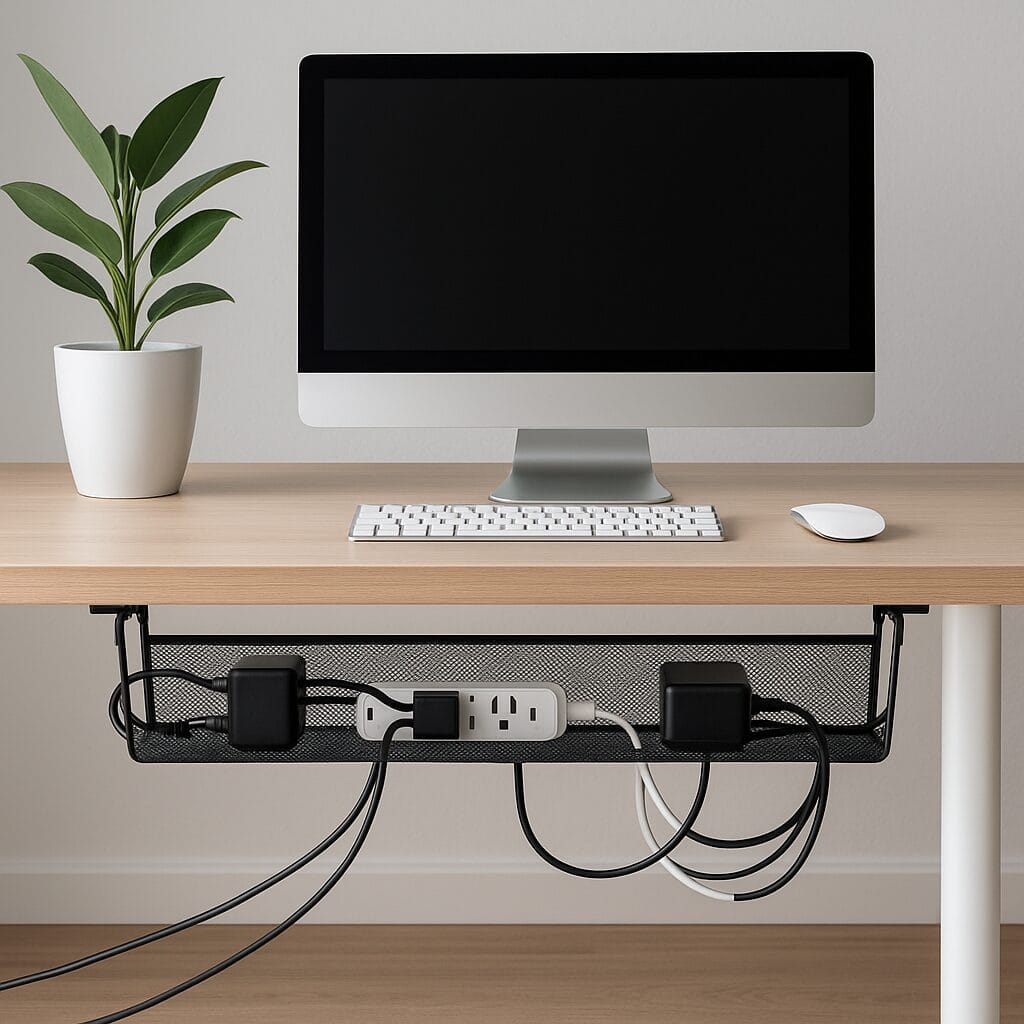
Keeping your workspace tidy isn’t just about aesthetics—it’s about improving your daily flow, boosting productivity, and ensuring safety. Tangled cords, scattered power bricks, and chaotic cable snakes under your desk can be both distracting and unsafe, creating a physical and mental barrier to focused work. If you’re seeking a simple, yet highly effective way to manage your setup, a mesh desk cable organizer can be a game-changer. These clever solutions, exemplified by products like the Outshine Net or Vivolink Mesh Tray, make under-desk cable management effortless, affordable, and incredibly effective.
In this comprehensive guide, DeskZen synthesizes dozens of expert reviews and user ratings to explore the world of mesh cable organizers. We’ll analyze their performance, design, and real-world advantages, and provide an in-depth comparison of the top options for 2025. If you’re ready to transform your cluttered workspace into a clean, functional, and safe environment, you’ve come to the right place.
The Art of the Perfect View: A Guide to Monitor Arms
Elevate your screens to achieve perfect ergonomic alignment. Our definitive guide covers the science, top models, and setup tips to reclaim your desk space and reduce neck strain.
Read the Full GuideHow DeskZen Reviews
To create the most comprehensive review possible, our team analyzes dozens of sources. This includes hands-on reviews from expert publications, technical data from manufacturers, and hundreds of verified customer ratings from sites like Amazon and Reddit. We synthesize this data to give you a complete, unbiased picture of the product’s real-world performance. We don’t give one opinion but a research based on multiple opinions and reviews.
Quick Comparison Table: A Snapshot of Top Mesh Organizers
For a quick overview, here’s how three of the top mesh organizers stack up against each other. This table provides an at-a-glance comparison of the most critical specifications.
| Product | Type | Width | Installation | Price (est.) | Best for |
| Outshine Cable Net | Mesh Net | 17.5″ | Clamp-on | ~$21 | Renters, standing desks, temporary setups |
| Vivolink Mesh Tray | Steel Mesh Tray | 36″ | Screw-in | ~$35 | Heavier equipment, permanent setups |
| Oakywood Organizer Tray | Premium Wood/Steel | 25″ | Screw-in | ~$129 | Premium home office, design-focused users |
The Ultimate Buying Guide: What to Look for in a Mesh Cable Organizer
Choosing the best mesh desk cable organizer isn’t a complex task, but a great choice depends on your specific needs and desk setup. Our analysis shows that a discerning buyer should consider the following criteria:
- Material & Durability: Mesh organizers come in two primary materials:
- Nylon Mesh Nets: These are flexible, lightweight, and perfect for light-to-medium-duty setups. They offer excellent airflow and are easy to install, but may not hold extremely heavy items like large surge protectors without some sag.
- Steel Mesh Trays: These are significantly more rigid and durable. Powder-coated steel offers a clean look, superior weight capacity, and will not sag over time. They are the ideal choice for heavy-duty setups with docking stations, large power bricks, or multiple adapters.
- Installation Method: The way the organizer attaches to your desk is a critical factor, especially for renters or standing desk owners.
- Clamp-on: This is the best no-drill solution. It’s perfect for renters, temporary setups, and standing desks where drilling might interfere with the motor mechanism. The main downside is that the clamps can sometimes be visible or bulky.
- Screw-in: This method provides the most secure and permanent attachment. It’s ideal for heavy-duty setups and users who are confident in drilling into their desks. The installation is more involved but results in a more stable and robust solution.
- Size & Capacity: Measure your desk’s width and the amount of equipment you need to store. A smaller net (like the Outshine) is great for minimal setups, while a larger tray (like the Vivolink) is necessary for extensive multi-monitor setups with multiple power strips and docking stations. Check the organizer’s weight capacity to ensure it can support your gear.
- Aesthetics & Design: Mesh organizers are designed to be low-profile, but their aesthetic can vary. Steel trays often have a professional, modern look, while nets are more functional and discreet. Premium options, like the Oakywood, use high-end materials like walnut to complement designer desks.
- Cable Accessibility & Management: Consider how you’ll access your cables. The open design of mesh organizers makes it easy to add or remove cables. Look for features like built-in cable pass-through holes or channels to make routing even cleaner.
By focusing on these criteria, you can ensure that your choice of a mesh desk cable organizer is a smart, lasting investment in your workspace’s cleanliness and functionality.
Performance & Analysis: Mesh Nets vs. Steel Trays
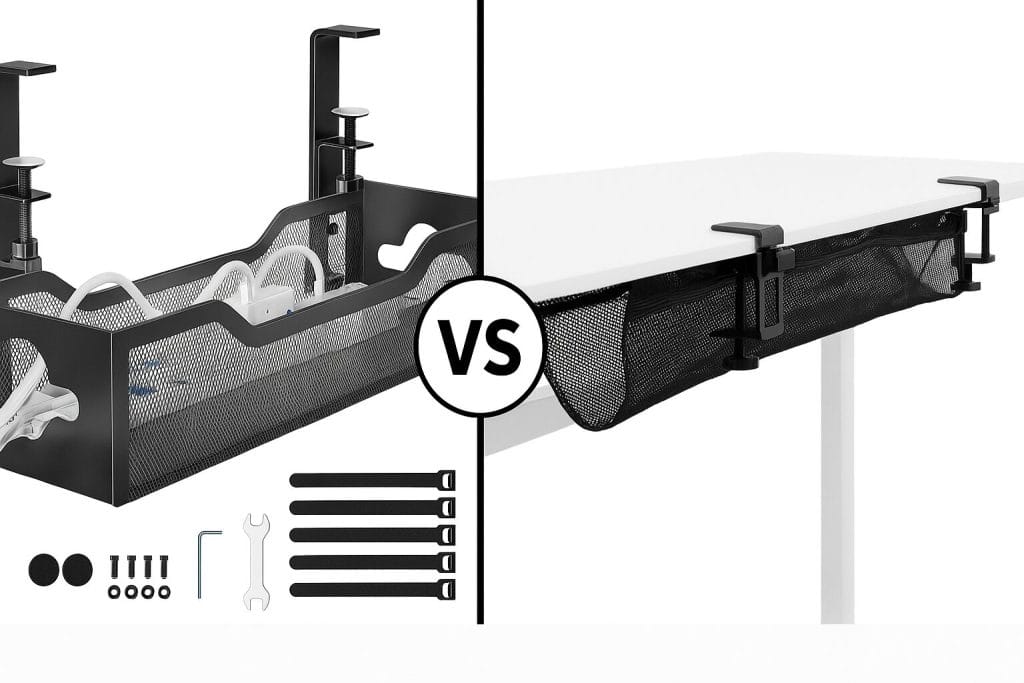
Mesh cable organizers are a reliable choice for users who want both structure and airflow. Based on our analysis of user feedback, nylon nets and steel trays offer distinctly different performance profiles.
Nylon Mesh Nets (Outshine): These are the most flexible and affordable option. Their clamp-based installation makes them perfect for renters, shared workspaces, and standing desks where drilling might be a concern. Users consistently praise their ease of installation and surprising strength, noting they can hold common power bricks and USB hubs without significant sagging. The open design promotes excellent airflow, which is crucial for preventing heat buildup around adapters and surge protectors. The main trade-off is their limited width and capacity for heavy-duty, multi-device setups.
Steel Mesh Trays (Vivolink): These trays are the heavy-duty workhorses of the category. They are significantly more stable and robust than nets, making them the ideal choice for heavier devices like docking stations, multi-port surge protectors, or power-hungry computer builds. Their screw-in installation method ensures a permanent, secure fit, and their powder-coated steel finish provides a professional, clean aesthetic. The main benefit, highlighted in many reviews, is that they keep cables completely off the floor and offer a durable, long-lasting solution for permanent setups.
Both types of organizers are especially helpful in multi-device setups, preventing cables from dragging or tangling on the floor. This not only improves safety but also makes cleaning the area under your desk significantly easier. The open design of both types also makes cable identification and access remarkably simple when changes are needed.
Design & Comfort Insights
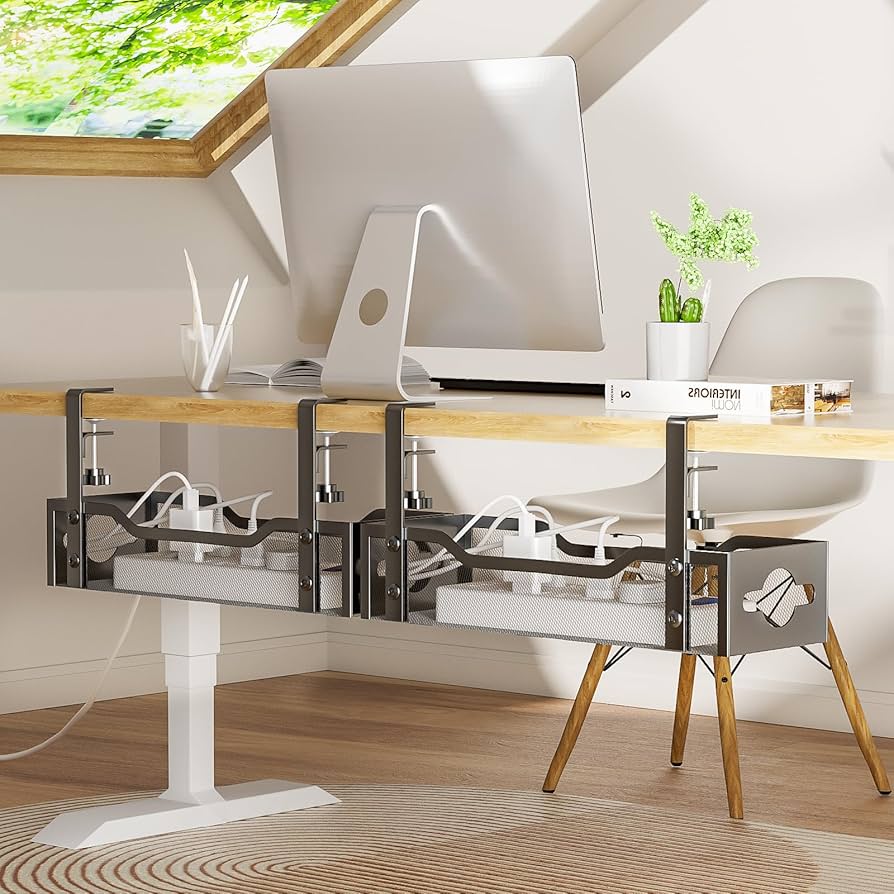
Mesh desk organizers are designed to be low-profile and blend easily with modern desk aesthetics. The Vivolink’s powder-coated steel finish looks clean and professional, while a premium option like the Oakywood brings a high-end touch with its walnut-finished steel, appealing to more design-conscious users. The open mesh design, a key feature across all these organizers, is not just for looks; it actively supports airflow, which is crucial for preventing heat buildup around hot adapters and power bricks. This feature alone is a significant advantage over closed cable management boxes.
Clamp-on models like the Outshine are ideal if you want a no-drill solution, and users often complement these trays with Velcro ties or adhesive clips for extra neatness and organization within the tray. This layered approach to cable management is a key takeaway from our analysis of highly organized home offices.
Pros & Cons
Based on our synthesis of user feedback, here are the key advantages and disadvantages of using a mesh desk cable organizer.
| Pros | Cons |
| ✅ Easy to Install: Both clamp and screw-in styles are beginner-friendly, with most users reporting an installation time of under 30 minutes. | ❌ Limited Concealment: Without additional accessories like sleeves or raceways, mesh organizers do not fully conceal cables, leaving them visible from certain angles. |
| ✅ Improved Airflow: The open mesh design actively prevents heat buildup around adapters, protecting your equipment and reducing the risk of overheating. | ❌ Fixed Lengths: Most models have fixed lengths, so it’s crucial to check dimensions before ordering to ensure it fits your desk and equipment needs perfectly. |
| ✅ Highly Affordable & Flexible: With excellent options available from ~$15 to ~$40, they are an accessible solution for any budget. | ❌ May Require Accessories: Achieving the cleanest, most “invisible” look often requires extra accessories like Velcro straps, cable ties, or adhesive clips. |
| ✅ Versatile for Standing Desks: Clamp-on and screw-in models are compatible with most adjustable standing desks, ensuring your cable management moves with your desk. | |
| ✅ Keeps Floors Clean: By lifting all cables and equipment off the floor, they make vacuuming, mopping, and general cleaning of your workspace much easier. |
Interactive comparative Table
Outshine Cable Net
Type: Mesh Net
Width: 17.5″
Installation: Clamp-on
Price: $13.99
Best for: Renters, standing desks, temporary setups
View on Amazon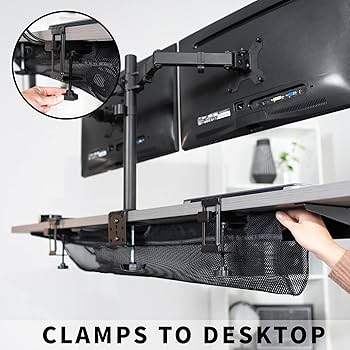
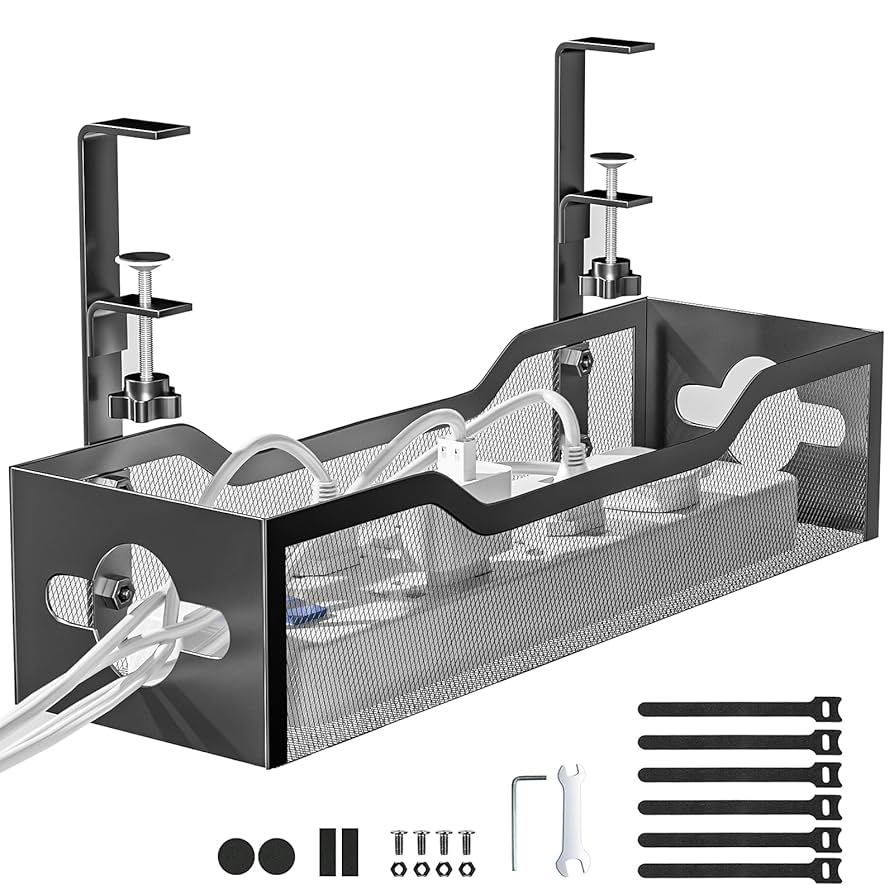
VIVO Mesh Tray
Type: Steel Mesh Tray
Width: 36″
Installation: Screw-in
Price: $39.99
Best for: Heavier equipment, permanent setups
View on Amazon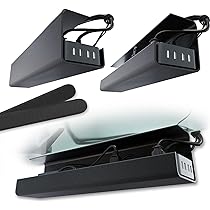
Oakywood Organizer Tray
Type: Premium Wood/Steel
Width: 25″
Installation: Screw-in
Price: $99.00
Best for: Premium desks, design-focused users
View on AmazonDeskZen’s Take on the Competition
While the Oakywood Organizer Tray technically has the highest price point, its premium walnut-finished steel and impeccable build quality make it a compelling choice for those building a high-end, design-focused workspace.
The Vivolink Mesh Tray is the winner for users with heavy-duty needs. It offers superior stability, a larger surface area, and a professional aesthetic, making it the perfect choice for a permanent, multi-device setup. Its screw-in installation method provides a level of security that nets cannot match.
The Outshine Cable Net is the champion for flexibility and affordability. It’s the ideal solution for renters, students, or anyone who wants a no-drill, quick-install option that still delivers on its promise of a tidier workspace.
DeskZen’s Conclusion on the Competition: For anyone needing a practical, effective solution, the choice is clear based on your specific needs. The best mesh desk cable organizer for you depends on whether you value affordability and flexibility (Outshine), durability and capacity (Vivolink), or premium design and aesthetics (Oakywood).
What Users Are Saying: A Look at Real-World Feedback
To provide a more complete picture, we’ve gathered insights from real users who have integrated these products into their daily routines.
- Amazon customer: “I wasn’t sure the net would hold everything, but it surprised me—it fits my MacBook charger, a power strip, and HDMI hub with no sagging. The clamp-on install took less than five minutes.”
- Home office user: “The Vivolink tray keeps everything off the floor and lets me vacuum easily. It’s very solid and was easy to install even with my beginner skills. I can’t believe I didn’t get one sooner.”
- Reddit reviewer: “Looks amazing with my walnut desk. Expensive, yes—but worth every cent. The hatch design is a nice touch, too, and the finish matches my desk perfectly.”
- Office manager: “We installed these in our entire office for all our sit/stand desks. The nets hold up great and move smoothly with the desks. It’s a huge improvement for safety and aesthetics.”
Expert Reviews & Industry Insights
Our analysis is supported by the insights of several reputable publications and industry experts who have evaluated cable management solutions.
- Lifehacker: Frequently praises mesh organizers as a “quick and simple solution” for desk clutter, highlighting their versatility and low barrier to entry for home office users.
- The Wirecutter: While reviewing premium desks, they often recommend adding a simple, low-profile mesh tray as a complementary accessory, noting that it’s often the most practical and elegant solution for cable chaos.
- PC Gamer: In discussions of gaming setups, mesh trays are often highlighted as a superior solution to a floor full of cables, as they improve airflow around power supplies and allow for easier, safer access.
DeskZen’s Final Verdict: The Best Mesh Desk Cable Organizer for Your Setup
If you’re looking to clean up cable clutter and organize your office space, a mesh desk cable organizer is a practical, affordable, and highly effective solution. This isn’t just about making your desk look good; it’s about making it safer, more functional, and more conducive to a productive work session.
The Outshine Net is perfect for those seeking ultimate flexibility, a no-drill installation, and a budget-friendly price. The Vivolink Mesh Tray is a rock-solid choice for heavier setups and those who prioritize stability and a clean aesthetic. Finally, the Oakywood tray is the definitive option for anyone building a premium, design-conscious workspace where every detail matters.
Ultimately, the best choice depends on your specific needs, but any of these products will represent a significant upgrade over a cluttered, unmanaged desk.
Looking to optimize your entire workstation beyond just cables? Don’t miss our guide on the best standing desks under $300 for ergonomic excellence, or read our review of the WOLFBOX MF100 electric air duster to keep your tech clean and pristine.
FAQ
Can mesh organizers support surge protectors or power bricks?
Yes. Steel trays like the Vivolink can handle heavy power strips and adapters with ease. Mesh nets like the Outshine can hold up to 2–3 bricks securely, depending on the weight.
Are mesh trays compatible with standing desks?
Absolutely. Both clamp-on and screw-in models work well with sit-stand desks. Just ensure there’s enough clearance for the tray when the desk moves up or down.
Do mesh organizers collect dust or sag over time?
Steel trays don’t sag and are easy to wipe down. Mesh nets may stretch slightly if overloaded, but regular cleaning and proper use prevent sagging or dust buildup.

Leave a Reply